Chapter 1
9
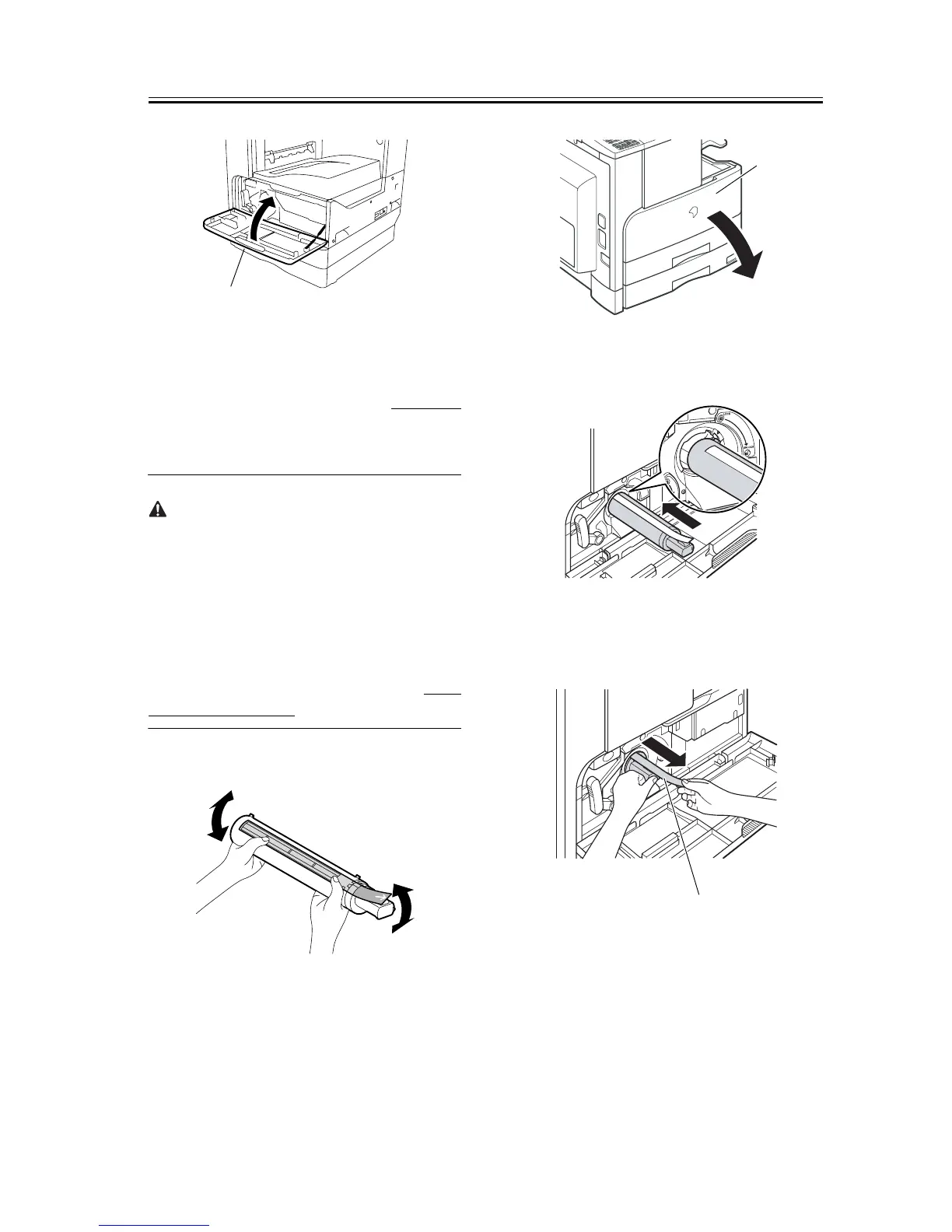
F-1-14
1.2.3 Installing the Toner
Bottle
0011-1072
iR2016J / iR2016 / iR2020 / / iR2016i / iR2020i
If the machine is installed in a low-temperature, low-
humidity place, the image density may be slightly
lower than usual on the first approx. 100 sheets print-
ed after installation of the machine.
When installing the machine in a low-temperature,
low-humidity environment, perform the steps men-
tioned in <Going through the Developer Idling
Mode> (provided after step 6 in this section) before
installing the toner bottle.
1) Shake the toner bottle 5-6 times.
F-1-15
2) Open the front cover [1].
F-1-16
3) Insert the toner bottle.
F-1-17
4) While holding the toner bottle, pull the seal [1] to
remove it.
F-1-18
5) Turn the toner cartridge in the direction of the ar-
row until it stops.
[1]
[1]
[1]










 To Next Page