Chapter 1
7
1.2 Unpacking and Instal-
lation
1.2.1 Unpacking and
Removing the Packag-
ing Materials
0011-1070
iR2016J / iR2016 / iR2020 / / iR2016i / iR2020i
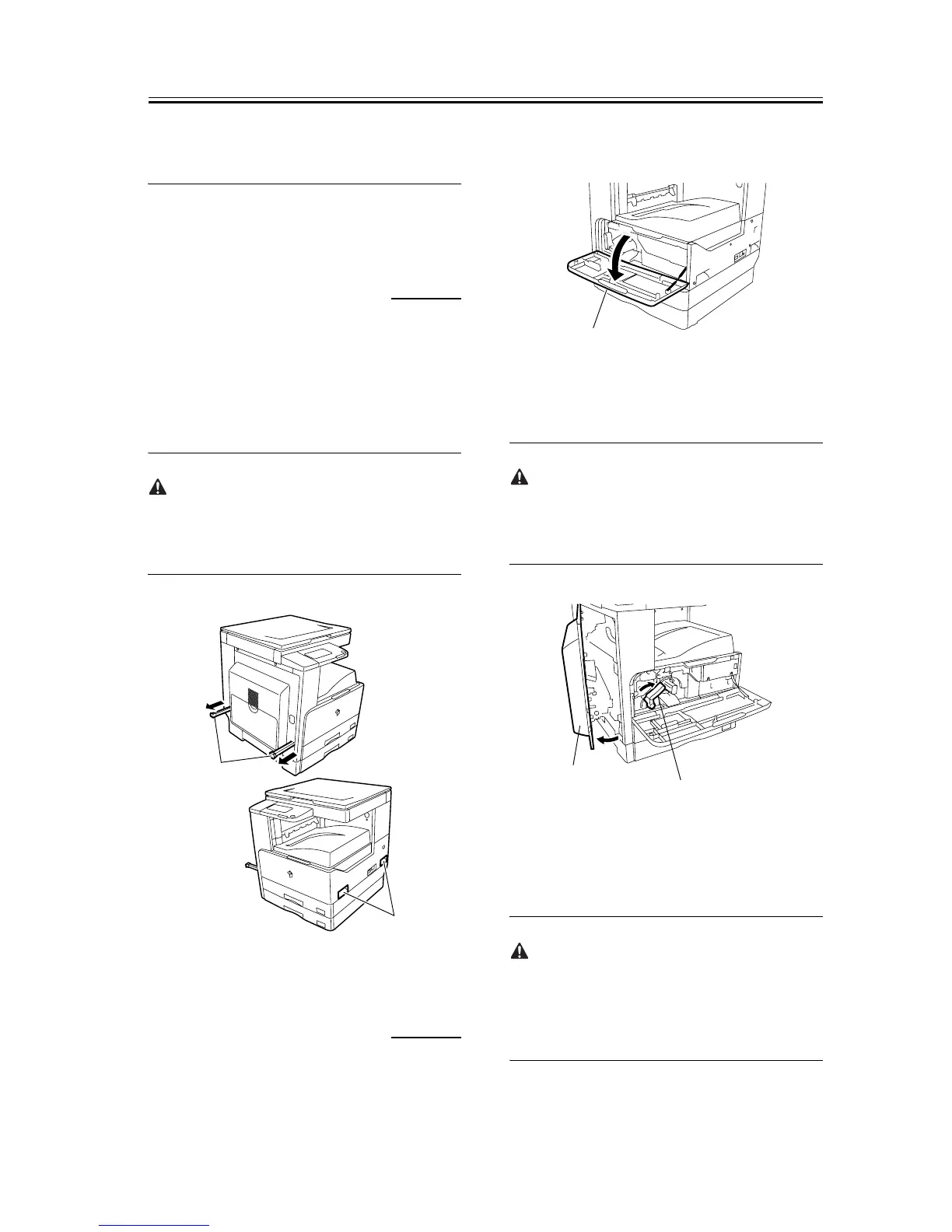
1) Unpack the machine and remove vinyl, cushioning
materials, and tape.
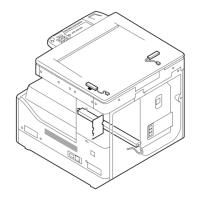
2) Hold the handles [1] of the machine together with
one or more persons and take it out.
The maximum weight of this machine is approximate-
ly 46kg. Two or more persons are required to lift the
machine.
F-1-5
1.2.2 Installing the Drum
Unit
0011-1071
iR2016J / iR2016 / iR2020 / / iR2016i / iR2020i
1) Open the front cover [1] of the iR body.
F-1-6
2) Turn the developer pressure release lever [1] clock-
wise, and then open the left door [2] until it stops.
The left door must be opened fully to prevent the drum
from being damaged while it is inserted into the drum
unit.
F-1-7
3) Open the packaging bag of the new drum unit, take
the new drum out of it, and then remove packing
tape.
The drum unit for Asia/Oceania is provided with pres-
sure release hooks [1]. Remove them. Drum units for
other regions are not provided with the pressure re-
lease hooks.
[1]
[1]
[1]
[2]
[1]



 To Next Page