Chapter 1
34
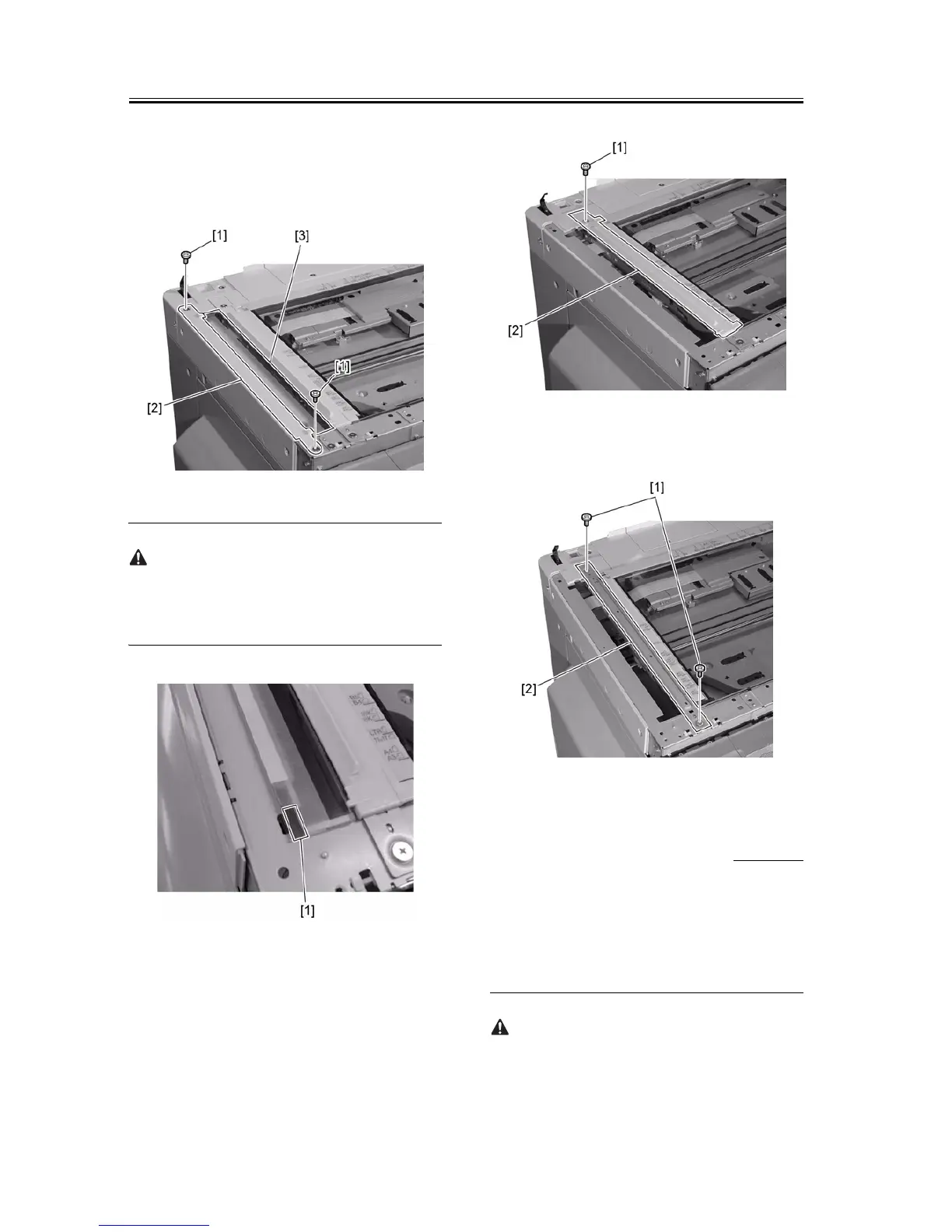
b. Machine with a DADF
1) Remove the two screws [1], and then detach the
stream reading glass holder [2].
2) Remove the stream reading glass [3].
F-1-81
Mount the stream reading glass with the notch [1] of
the sheet material affixed to the glass is at the front
left.
F-1-82
3) Remove the screw [1], and then remove the jump
board [2].
F-1-83
4) Remove the screw [1], and then the stay [2].
F-1-84
1.6.5 Installing the
Reader Heater
0011-3385
iR2016J / iR2016 / iR2020 / / iR2016i / iR2020i
1) Pull the front side [1] of the drive belt in the direc-
tion of the arrow to move the contact sensor [2] to
the center
Do not touch the top surface of the contact sensor.



 To Next Page