Chapter 1
35
F-1-85
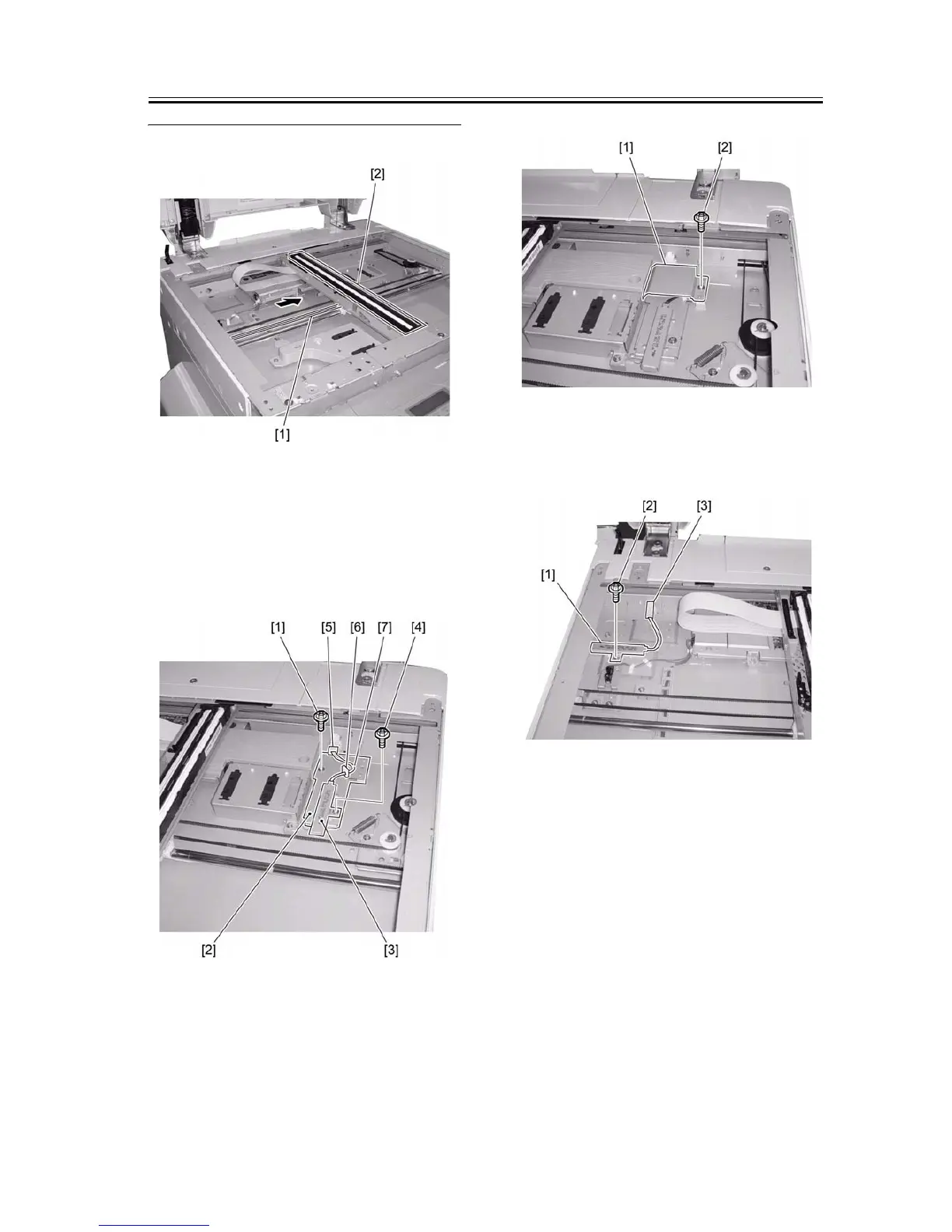
2) Install the heater base [2] using a screw [1].
3) Install the reader heater [3] on the header base [2]
using a screw [4]. Connect the connector [5] of the
heater. Install the wire saddle [6] and route the ca-
ble [7].
F-1-86
4) Attach the heater cover [1] using a screw [2].
F-1-87
5) Install the reader heater [1] using a screw [2]. Con-
nect the connector [3] of the heater.
F-1-88
6) Attach the heater cover [1] using a screw [2].


 To Next Page
 Loading...







