Chapter 1
32
F-1-75
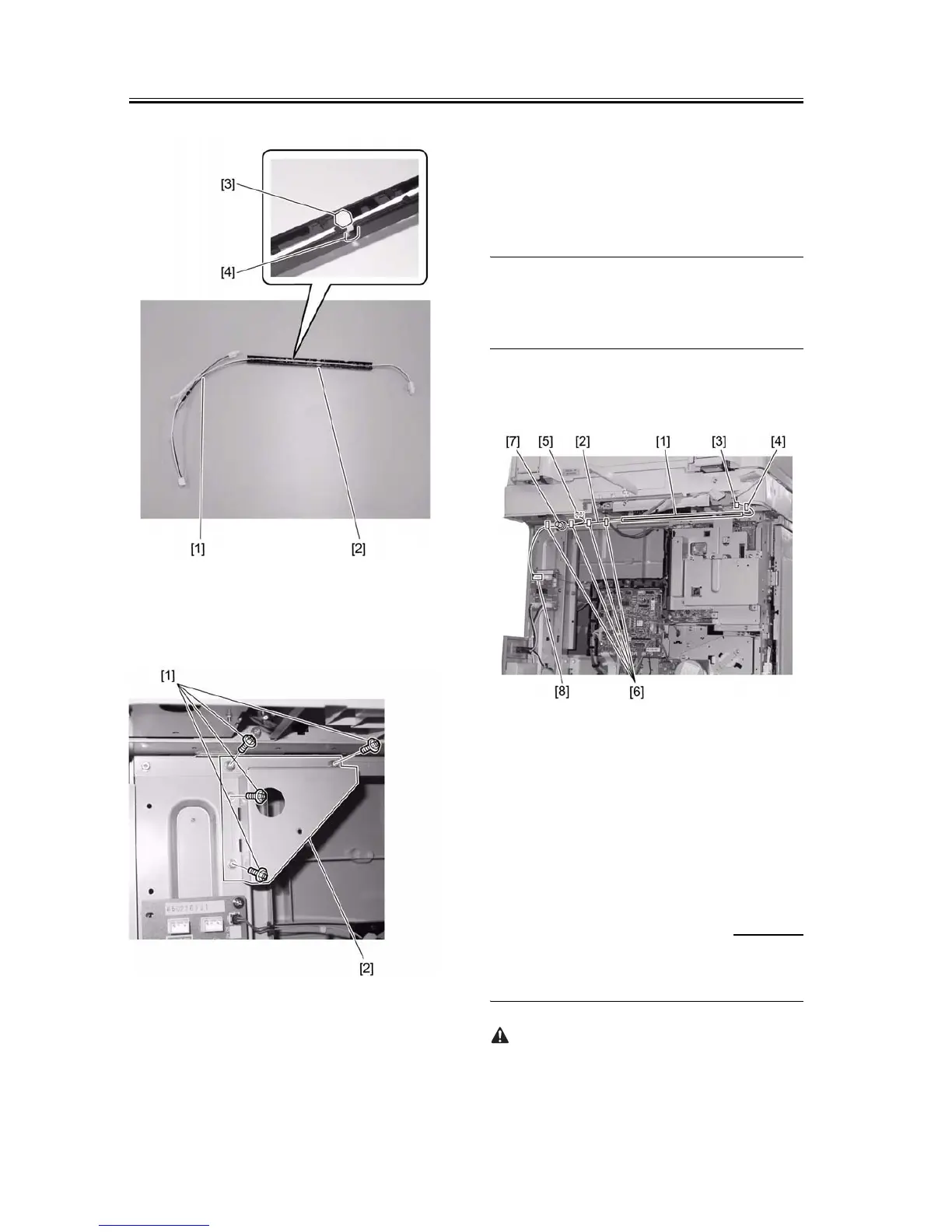
11) Remove the four screws [1], and then the metal
plate [2].
F-1-76
12) Secure the harness guide [1] to the rear bottom of
the reader together with the heater harness [2].
13) Connect the heater connector (right) [3].
14) Install the wire saddle [4], and then pass the heater
harness [2] through it.
15) Connect the heater connector (left) [5].
16) Install the four wire saddles [6], and then pass the
heater cable through them.
MEMOÅF
Rout the heater cable so as its terminal [7] to be con-
nected at the position shown in the Figure.
17) Connect the heater harness [2] to the connector
(J1904) [8] on the heater PCB.
F-1-77
18) Install the metal plate removed in step 11). (4
screws)
19) Return the reader flexible cable cover in place,
and then connect the reader flexible cables to the
image processor PCB.
1.6.3 Removing Reader
Components
0011-3373
iR2016J / iR2016 / iR2020 / / iR2016i / iR2020i
Installation precautions are as follows:










 To Next Page