Chapter 1
25
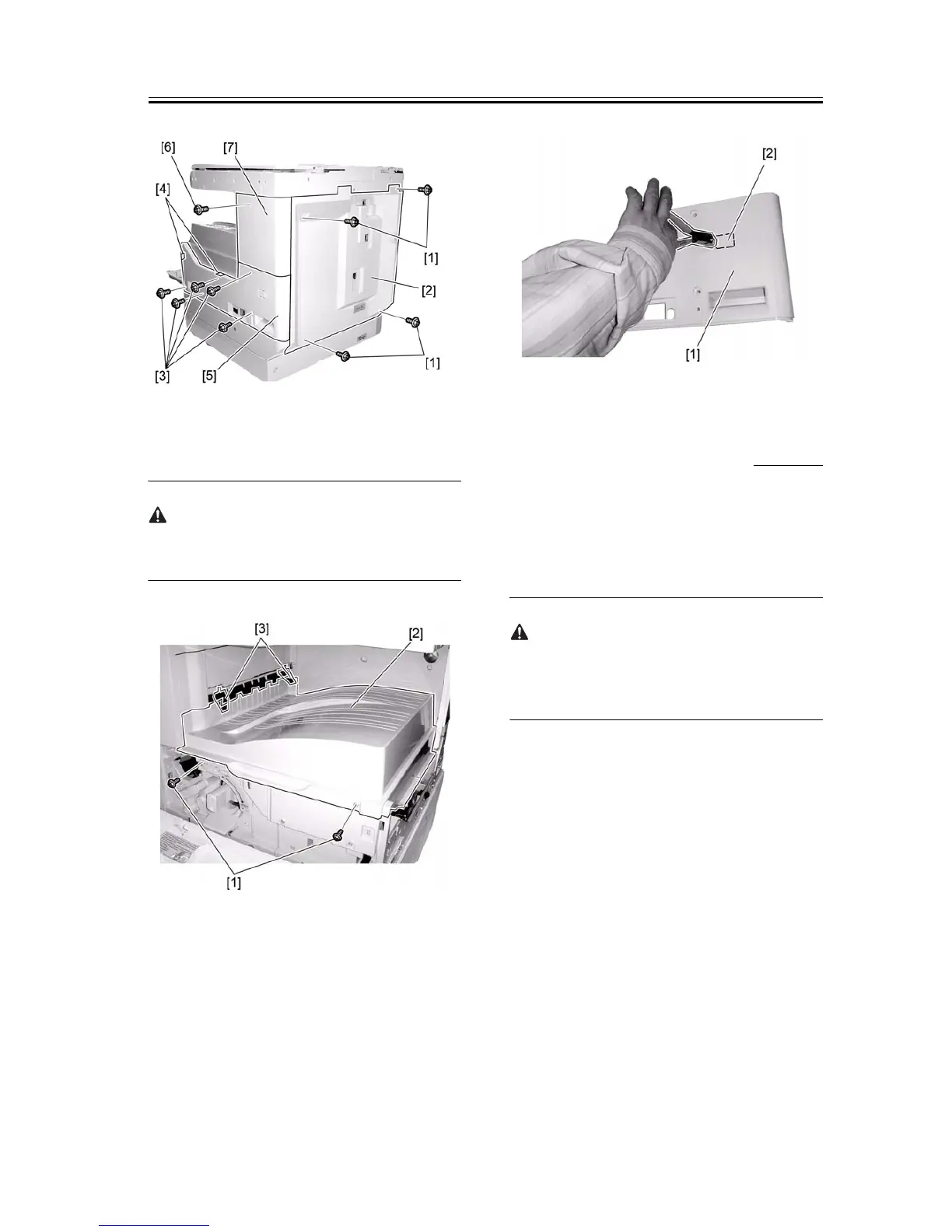
F-1-59
5) Remove the two screws [1], and then the delivery
tray [2].
When removing or reinstalling the delivery tray, be
careful not to damage the paper holder [3].
F-1-60
6) Using a nipper or the like, cut out the face plate [2]
(used to install a heater switch) on the lower-right
cover [1].
F-1-61
1.5.3 Installing the Heater
PCB
0011-3365
iR2016J / iR2016 / iR2020 / / iR2016i / iR2020i
1) Install the heater PCB unit [2] using the two sup-
plied TP screws (M3x8) [1].
2) Install the heater switch [3] on the right side panel.
Install the heater switch with the OFF position on the
left and the ON position on the right just like the main
power switch.










 To Next Page