Chapter 1
26
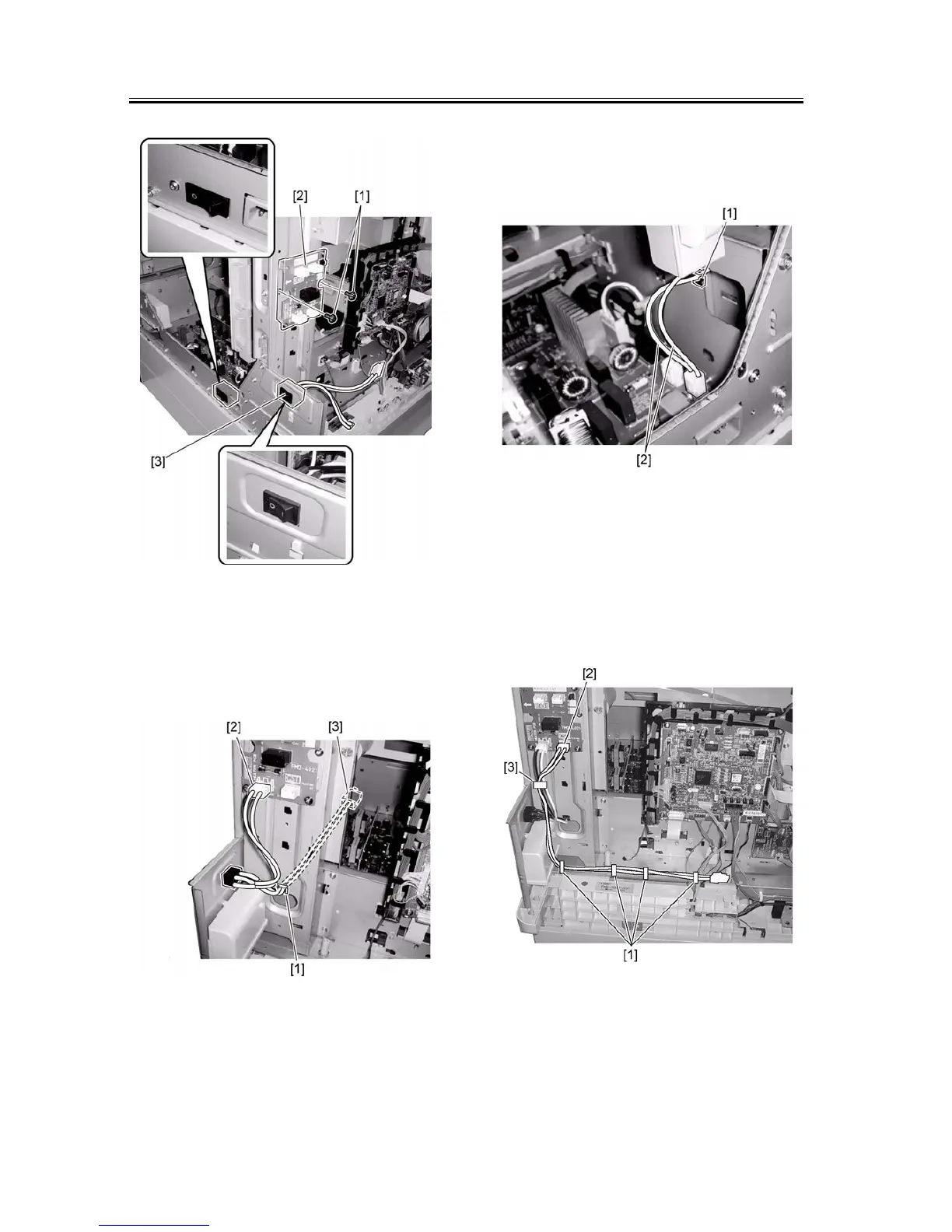
F-1-62
3) Install the edge saddle (large) [1] and connect one
heater switch harness [2] to the connector (J1901)
on the heater PCB. Route the other harness [3] to
the front of the host machine through the saddle.
F-1-63
4) Install the edge saddle (small) [1] on the power sup-
ply unit at the front of the host machine, and then
connect the header switch harness [2] (routed to the
front of the host machine) to the connector (J15) on
the power supply PCB through the edge saddle.
F-1-64
5) Install the four clamps [1] on the back of the host
machine.
6) Connect the cassette heater harness [2] to the con-
nector (J1905) on the heater PCB unit, install the re-
use band [3], and then pass the harness through the
clamps installed in step 5).
F-1-65
7) Install the edge saddle (small) [1].
8) Connect the heater harness [2] to the connector
(J1902) on the heater PCB unit, pass the harness










 To Next Page