Chapter 1
27
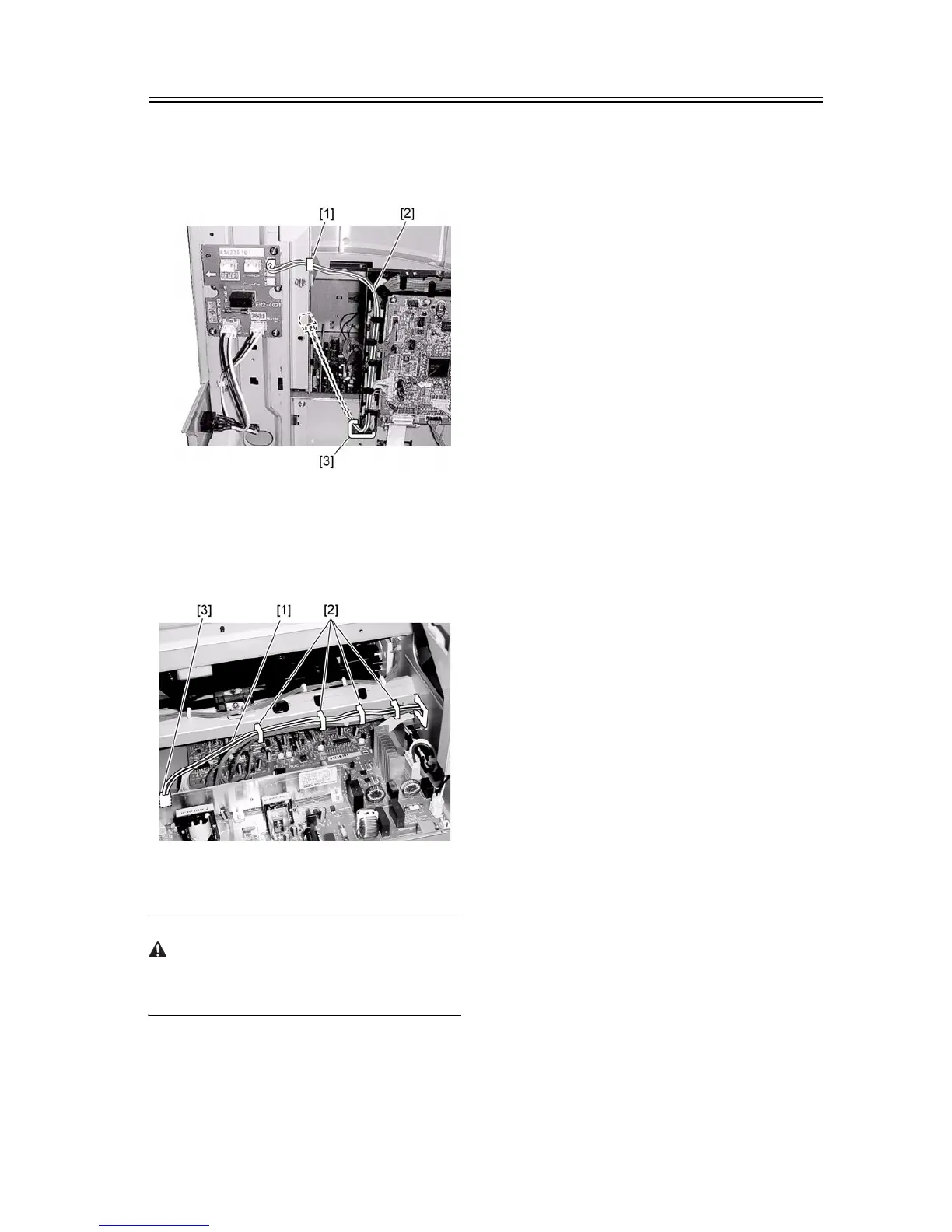
through the installed edge saddle, and then route the
harness to the front of the host machine through the
hole [3].
F-1-66
9) Pass the heater harness [1] through the wire saddle
[2], and then connect it to the connector (J17) [3] on
the power supply PCB.
F-1-67
10) Install the delivery tray. (2 screws)
When reinstalling the delivery tray, be careful not to
damage the paper holder.
11) Attach the upper-right cover of the host machine.
(1 screw)
12) Attach the lower-right cover of the host machine.
(5 screws)
13) Attach the rear cover of the host machine. (4
screws)
14) Close the front cover of the host machine.










 To Next Page