Chapter 1
30
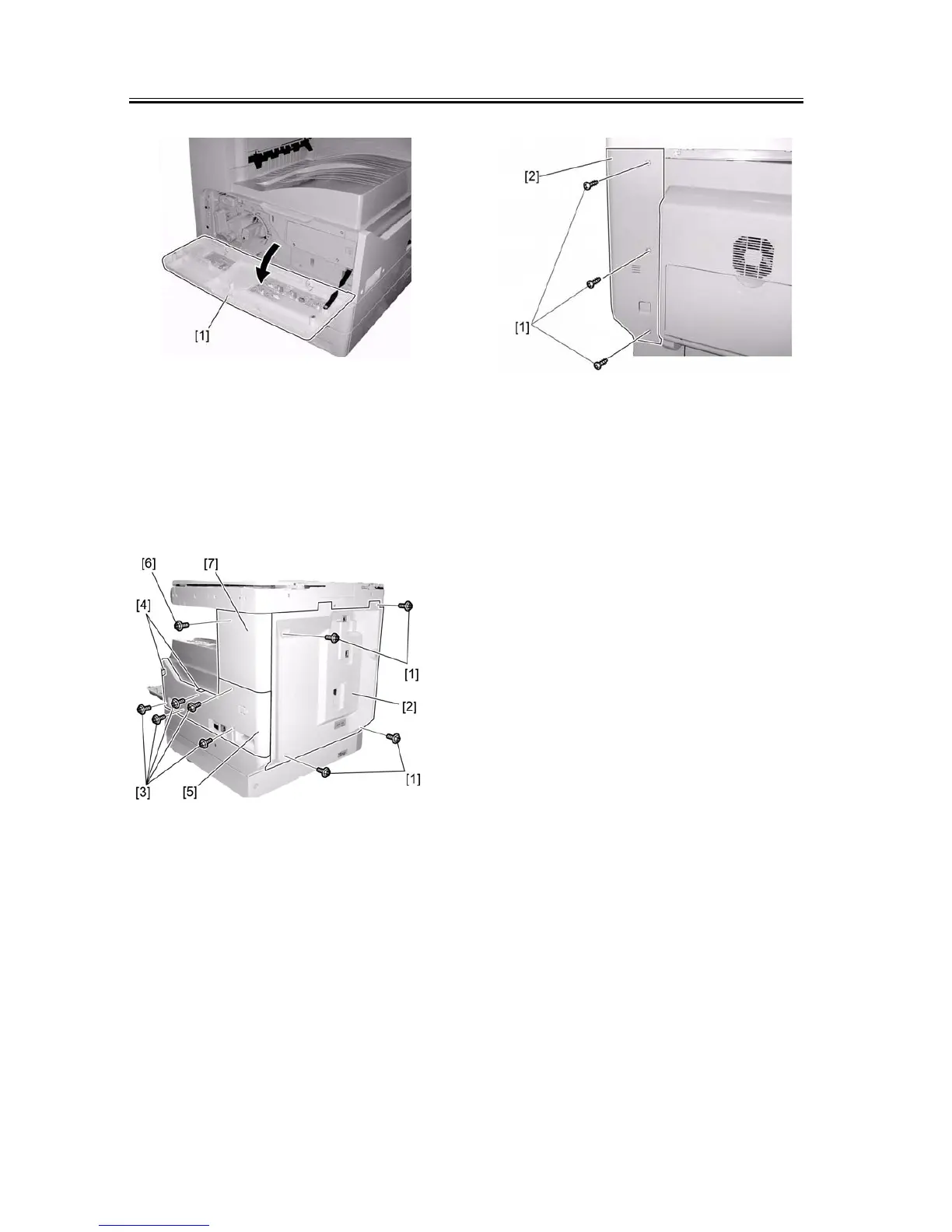
F-1-70
2) Remove the four screws [1], and then detach the
rear cover [2].
3) Remove the five screws [3]. Remove the two hooks
[4], and then detach the lower-right cover [5].
4) Remove the screw [6], and then detach the upper-
right cover [7].
F-1-71
5) Remove the three screws [1], and then detach the
rear-left cover [2].
F-1-72
6) Remove the core [1] and the flexible cable holder
[2] at the back of the host machine. Disconnect the
two reader flexible cables [3].
7) Disconnect the harness [4] from the four wire sad-
dles [5].
8) Remove the two screws [6], and then detach the
flexible cable cover [7].



 To Next Page