Installing the CAPT Software
2-16
Setting Up the Network Environment for Printing
2
1
Make sure that the computer and printer are connected via the
network and that the printer is ON.
2
Insert the supplied CD-ROM into the CD-ROM drive.
3
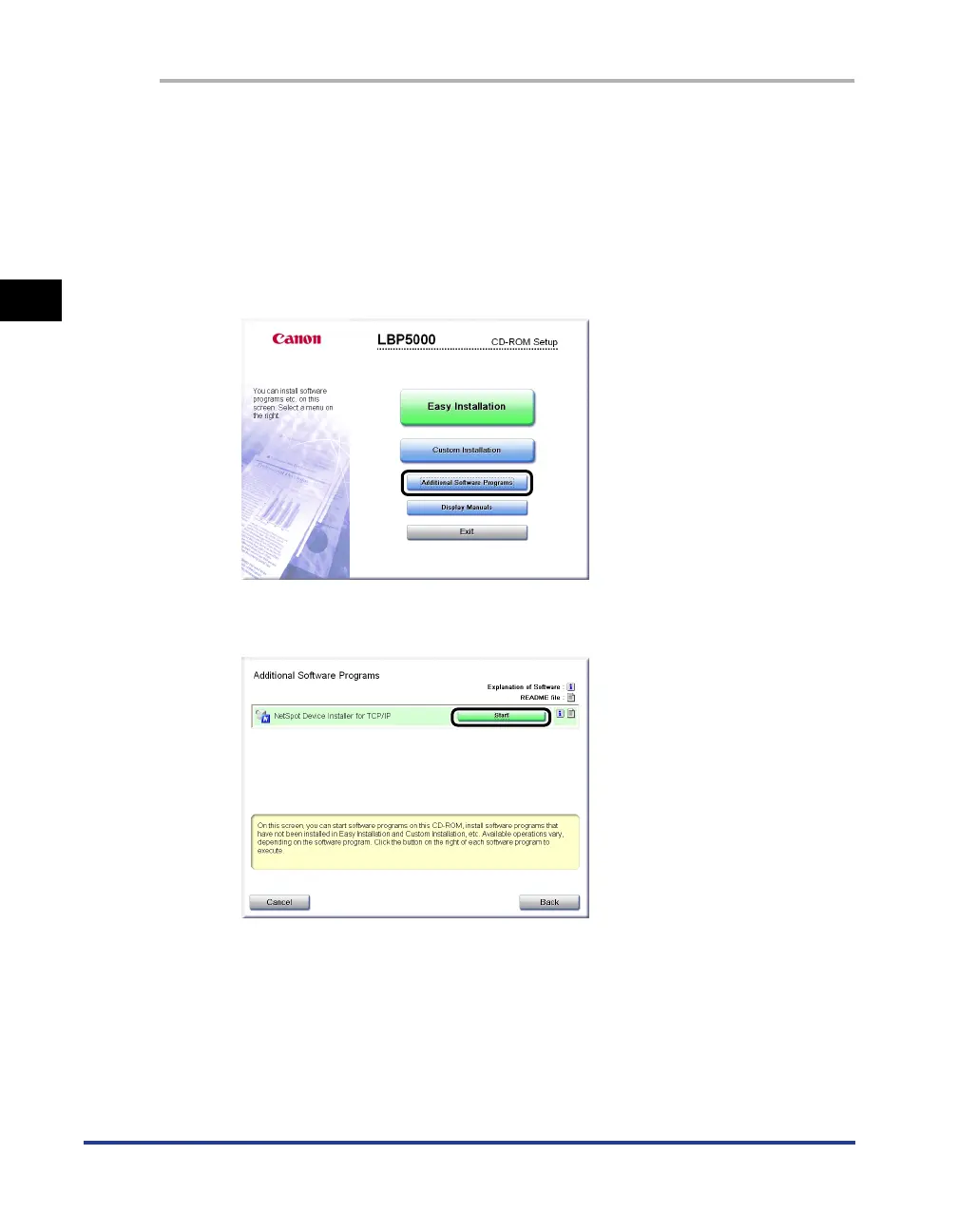
Click [Additional Software Programs].
4
Click [Start] in [NetSpot Device Installer for TCP/IP].
5
Set the IP address.
Display screens of NetSpot Device Installer vary depending on the system
environment.
Perform the following procedure according to the contents displayed in the
device list.












 To Next Page