2-19
Setting Up the Network Environment for Printing
2
Installing the CAPT Software
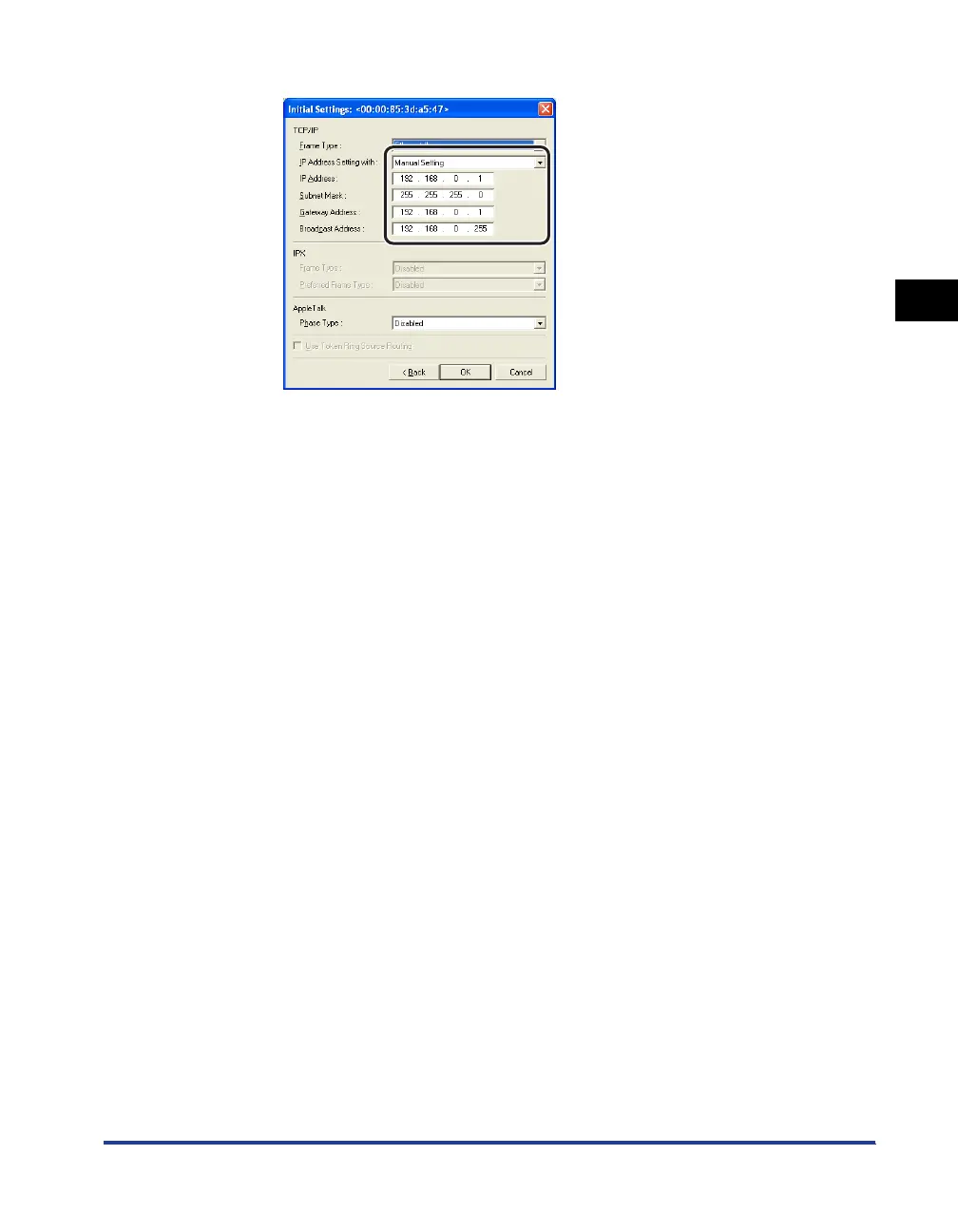
❑ Specify the IP address.
Options to be specified
[IP Address Setting with]: Select the method for setting the IP address.
[Manual
Setting]:
Allows you to specify the IP address
directly. The IP address entered in
[IP Address] is specified for the
network board.
[DHCP]: Obtains an IP address using DHCP.
(The DHCP server needs to be
started up.)
[IP Address]: Enter the IP address of the network board.
Options to be specified as needed
[Subnet Mask]: Enter the subnet mask that is being used on the
TCP/IP network.
[Gateway Address]: Enter the gateway address that is being used on
the TCP/IP network.
[Broadcast Address]: Enter the broadcast address that is being used
on the TCP/IP network.






 To Next Page