Installing the CAPT Software
2-18
Setting Up the Network Environment for Printing
2
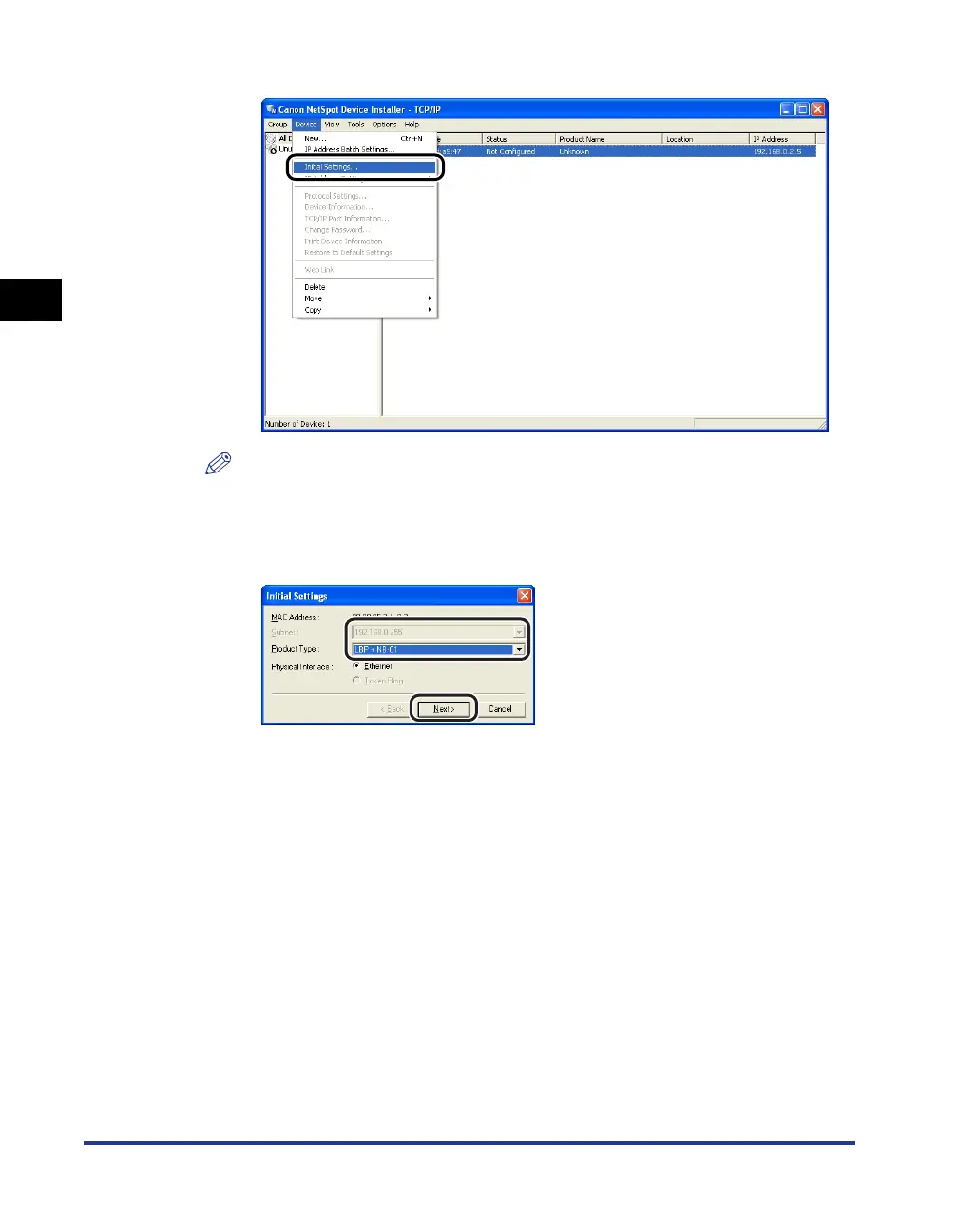
❑ Select [Initial Settings] from the [Device] menu.
NOTE
You can obtain the same result by right-clicking the selected device and selecting
[Initial Settings] from the pop-up menu.
❑ Specify the following settings in the [Initial Settings] dialog box, then click
[Next].
Options to be specified
[Subnet]: When the computer on which NetSpot Device Installer is
running is connected to multiple networks (when multiple
network interface boards are installed), select the subnet to
which the device to be configured belongs.
[Product Type]:Select [LBP + NB-C1].






 To Next Page