Installing the CAPT Software
2-34
Setting Up the Network Environment for Printing
2
9
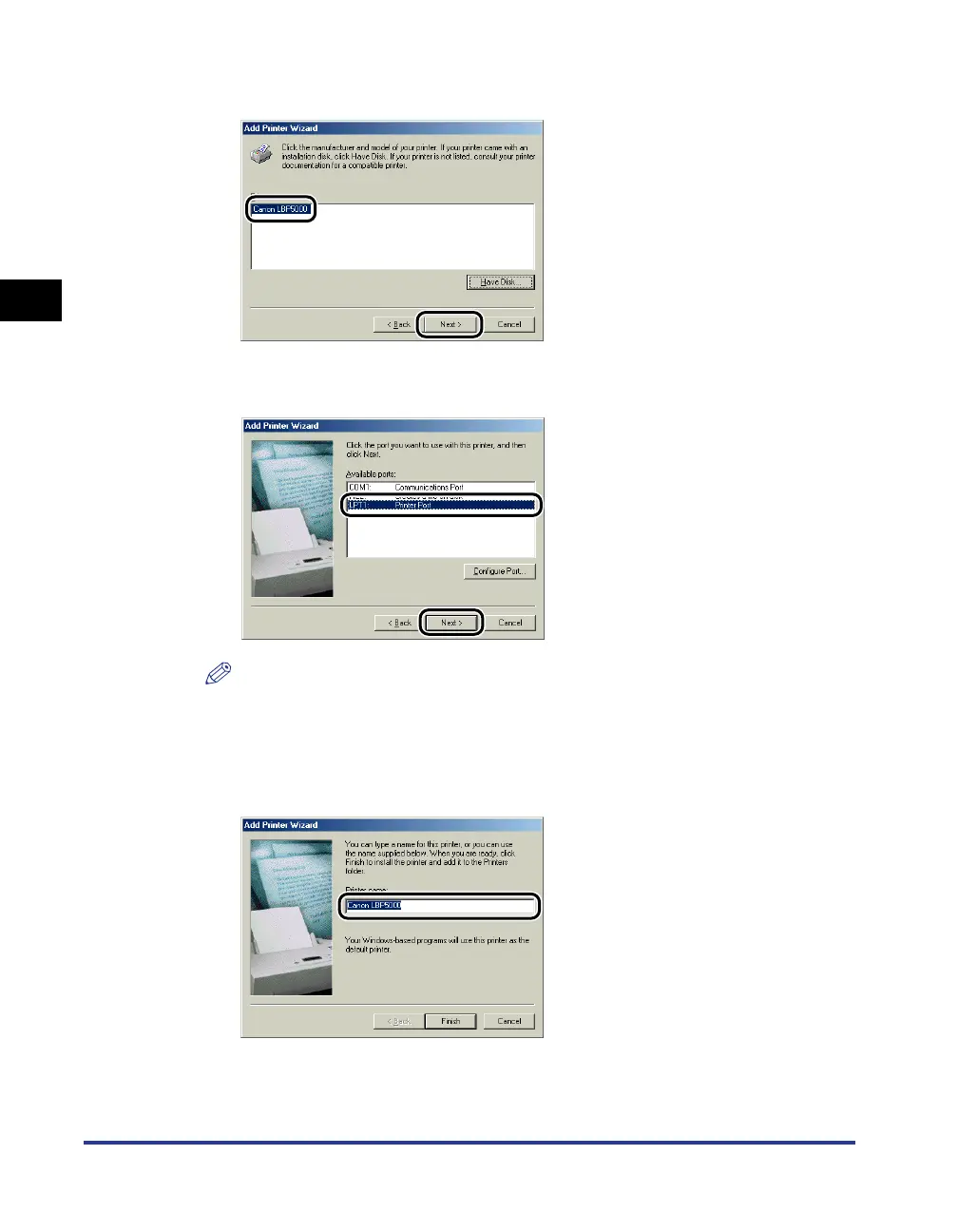
Select the name of this printer for [Printers], then click [Next].
10
Select [LPT1], then click [Next].
NOTE
Do not select [Canon CAPT Port] at this point.
11
Enter a new name in [Printer Name] if you want to change the
printer name.








 To Next Page