Installing the Paper Feeder
9-5
Installing the Optional Accessories
9
3
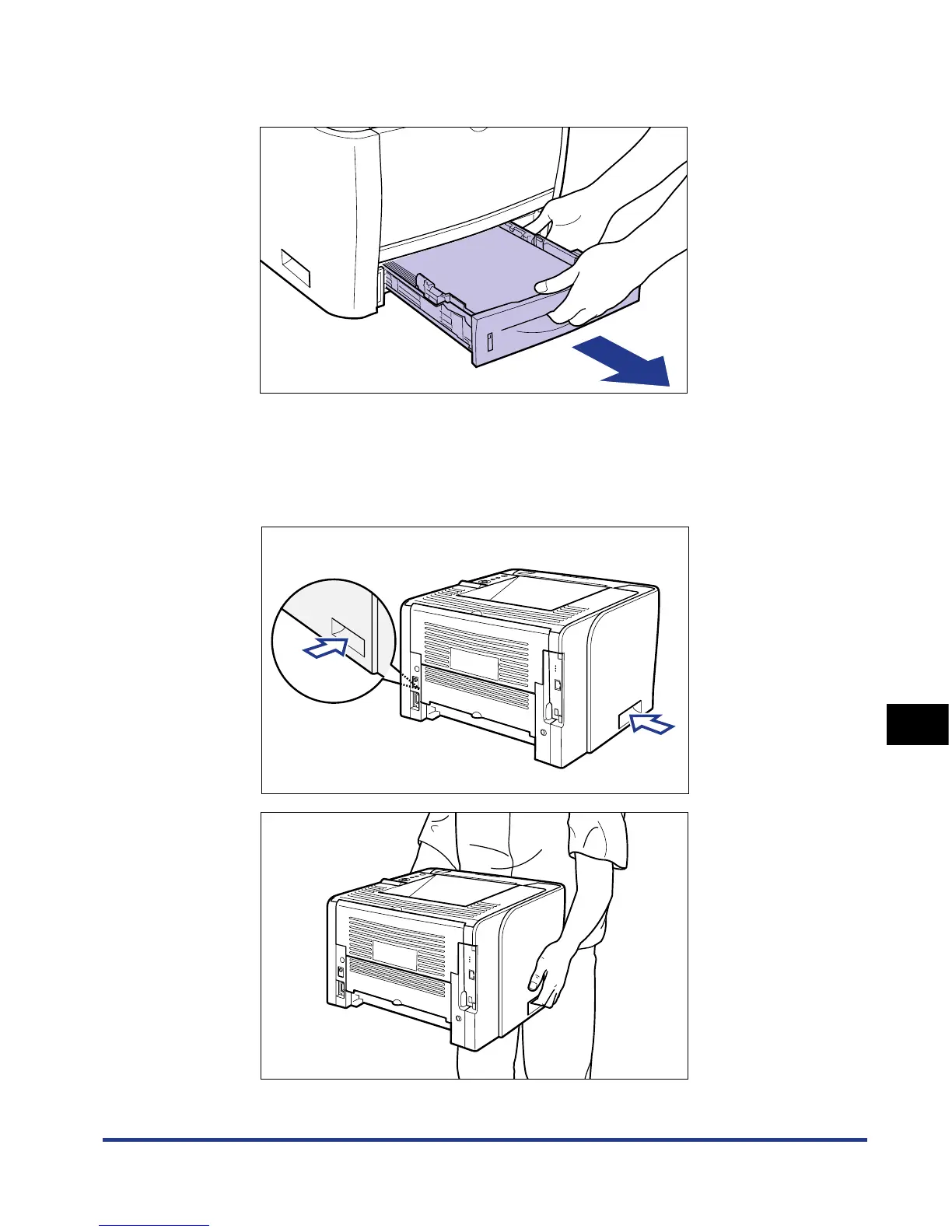
Pull out the paper cassette.
4
Move the printer unit from the installation site.
From the front side, securely hold the printer by the lift handles located on the
lower portion of the printer with both hands.













 To Next Page