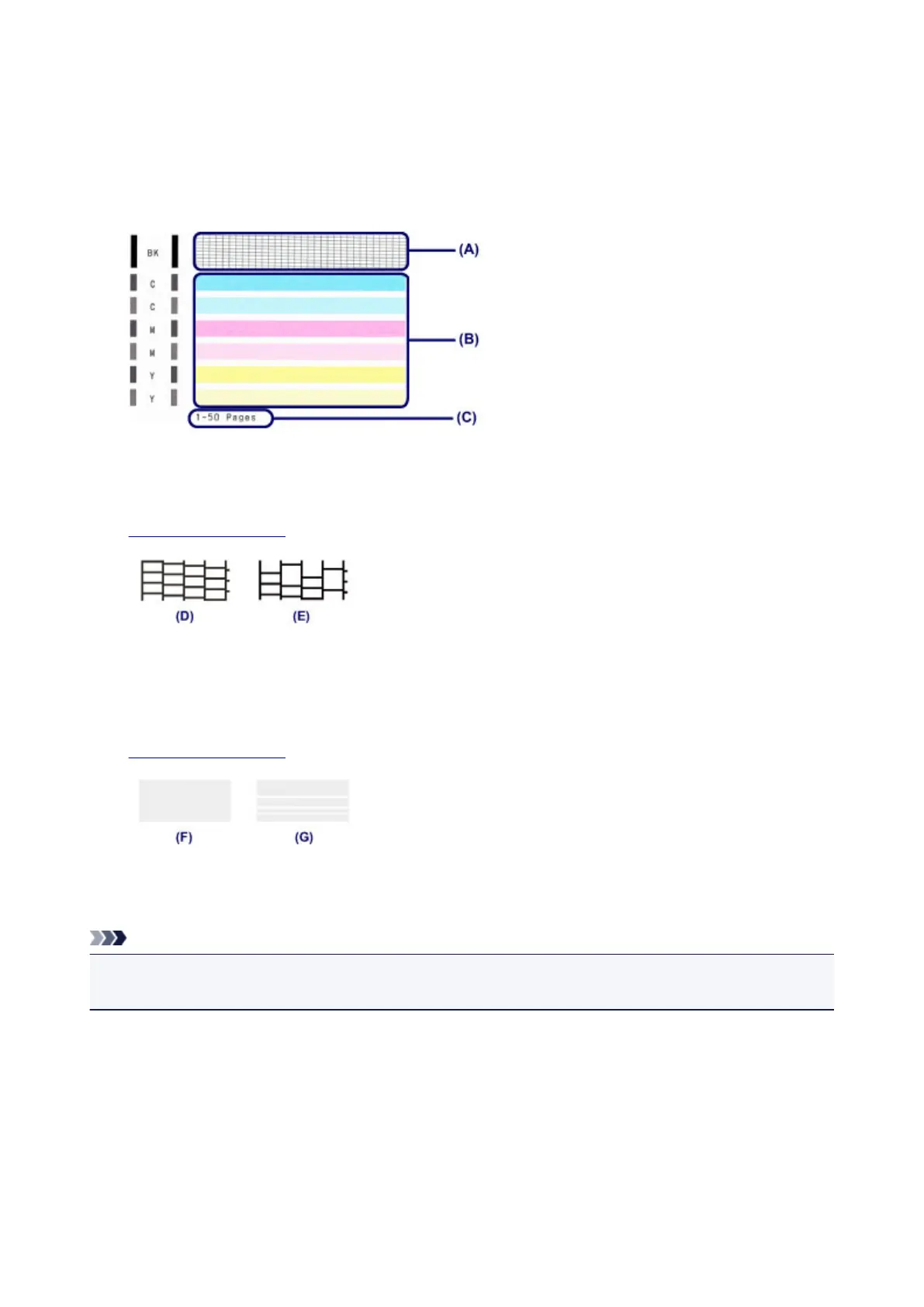
Examining the Nozzle Check Pattern
Examine the nozzle check pattern, and clean the print head if necessary.
1. Check if there are missing lines in the pattern (A) or horizontal white streaks in the pattern
(B).
(C) Number of sheets printed so far
If there are missing lines in the pattern (A):
Cleaning the print head is required.
(D) Good
(E) Bad (lines are missing)
If there are horizontal white streaks in the pattern (B):
Cleaning the print head is required.
(F) Good
(G) Bad (horizontal white streaks are present)
Note
• The total number of sheets printed so far is shown in increments of 50 sheets on the printout of the
nozzle check pattern.
116













 To Next Page