Copying Four Pages to Fit onto a Single Page
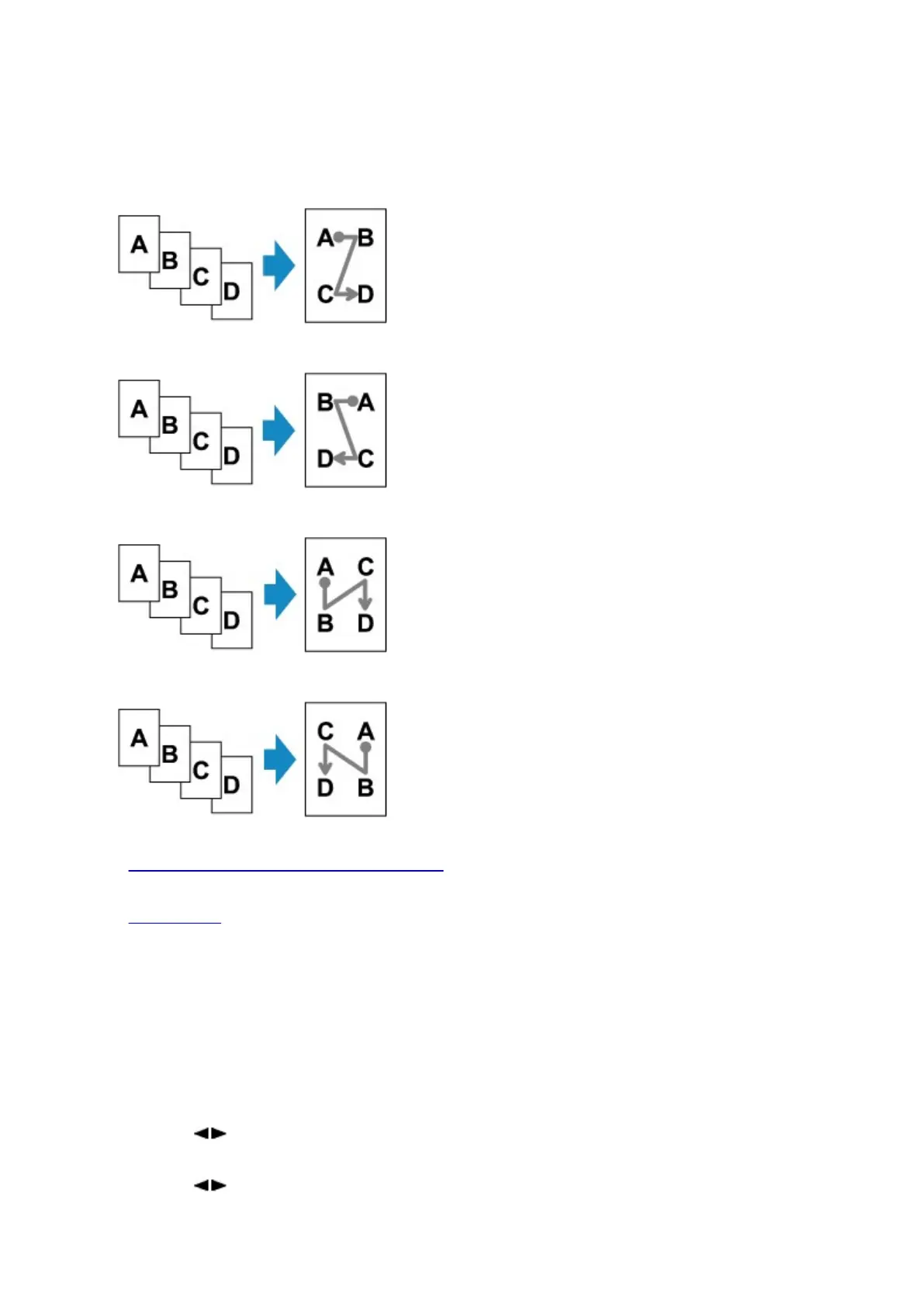
You can copy four original pages onto a single sheet of paper by reducing each image. Four different
layouts are available.
• When Layout 1 is selected for 4-on-1 layout:
• When Layout 2 is selected for 4-on-1 layout:
• When Layout 3 is selected for 4-on-1 layout:
• When Layout 4 is selected for 4-on-1 layout:
1.
Make sure that the machine is turned on.
2. Load paper.
3. Press the COPY button.
The Copy standby screen is displayed.
4. Press the Menu button.
The Copy menu screen is displayed.
5. Use the button to select Special copy, then press the OK button.
6. Use the button to select 4-on-1 copy, then press the OK button.
409













 To Next Page