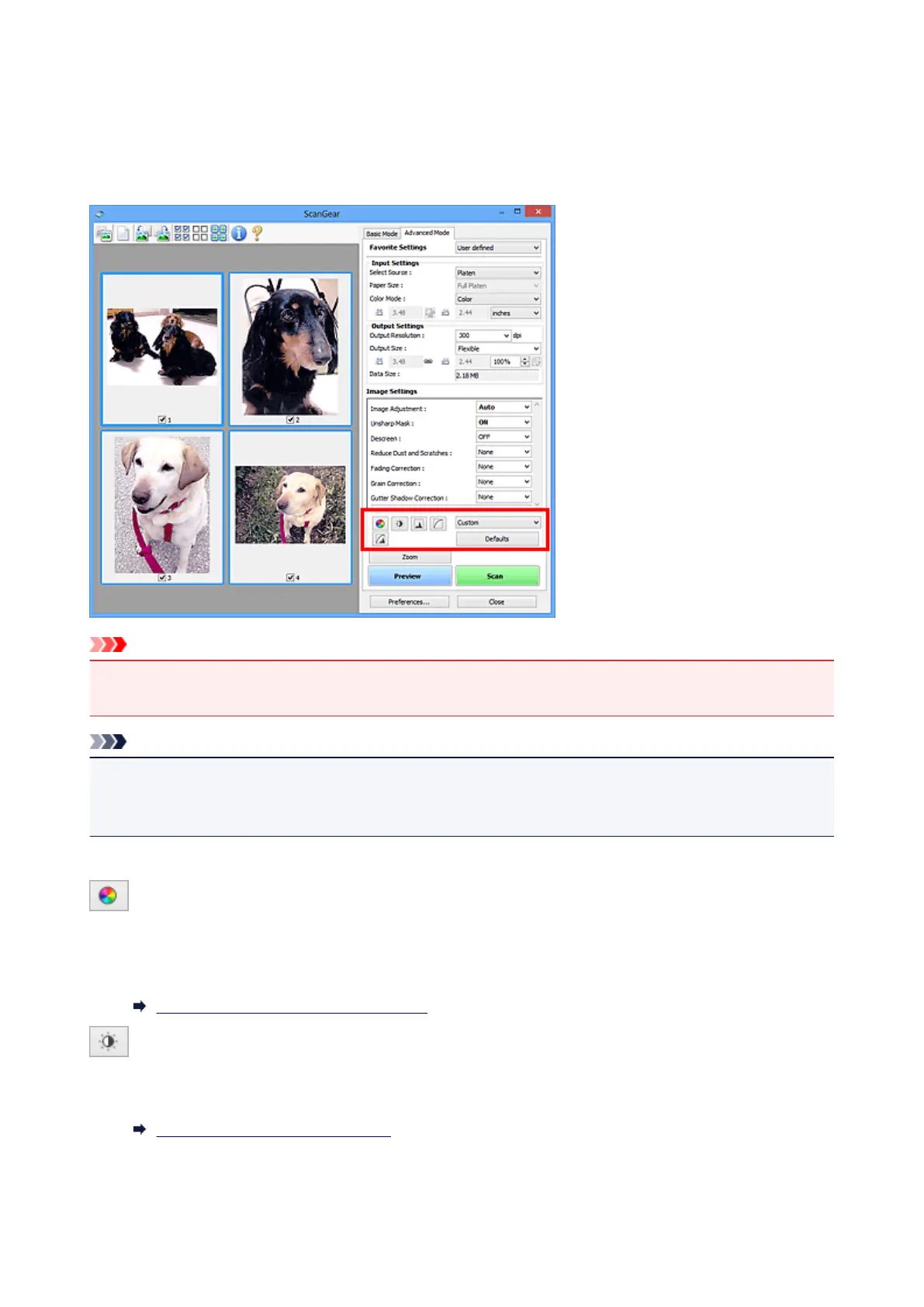
Color Adjustment Buttons
The Color Adjustment Buttons allow you to make fine corrections to the image brightness and color tones
including adjustments to the image's overall brightness or contrast and adjustments to its highlight and
shadow values (histogram) or balance (tone curve).
Important
• The Color Adjustment Buttons are not available when you select Color Matching on the Color
Settings tab of the Preferences dialog box.
Note
• Selectable settings depend on Color Mode settings.
• When you adjust the image via the Color Adjustment Buttons, the results will be reflected in the preview
image.
Click a Color Adjustment Button to set the following items:
(Saturation/Color Balance)
Adjust the saturation (vividness) and color tone of the image. Use this function to brighten colors that
have faded with time or due to colorcast. "Colorcast" is a phenomenon where a specific color affects the
entire picture due to the weather or ambient strong colors.
Adjusting Saturation and Color Balance
(Brightness/Contrast)
Adjust the brightness and contrast of the image. If the image is too dark or too bright, or if the image
quality is flat due to lack of contrast, you can adjust the levels of brightness and contrast.
Adjusting Brightness and Contrast
554













 To Next Page