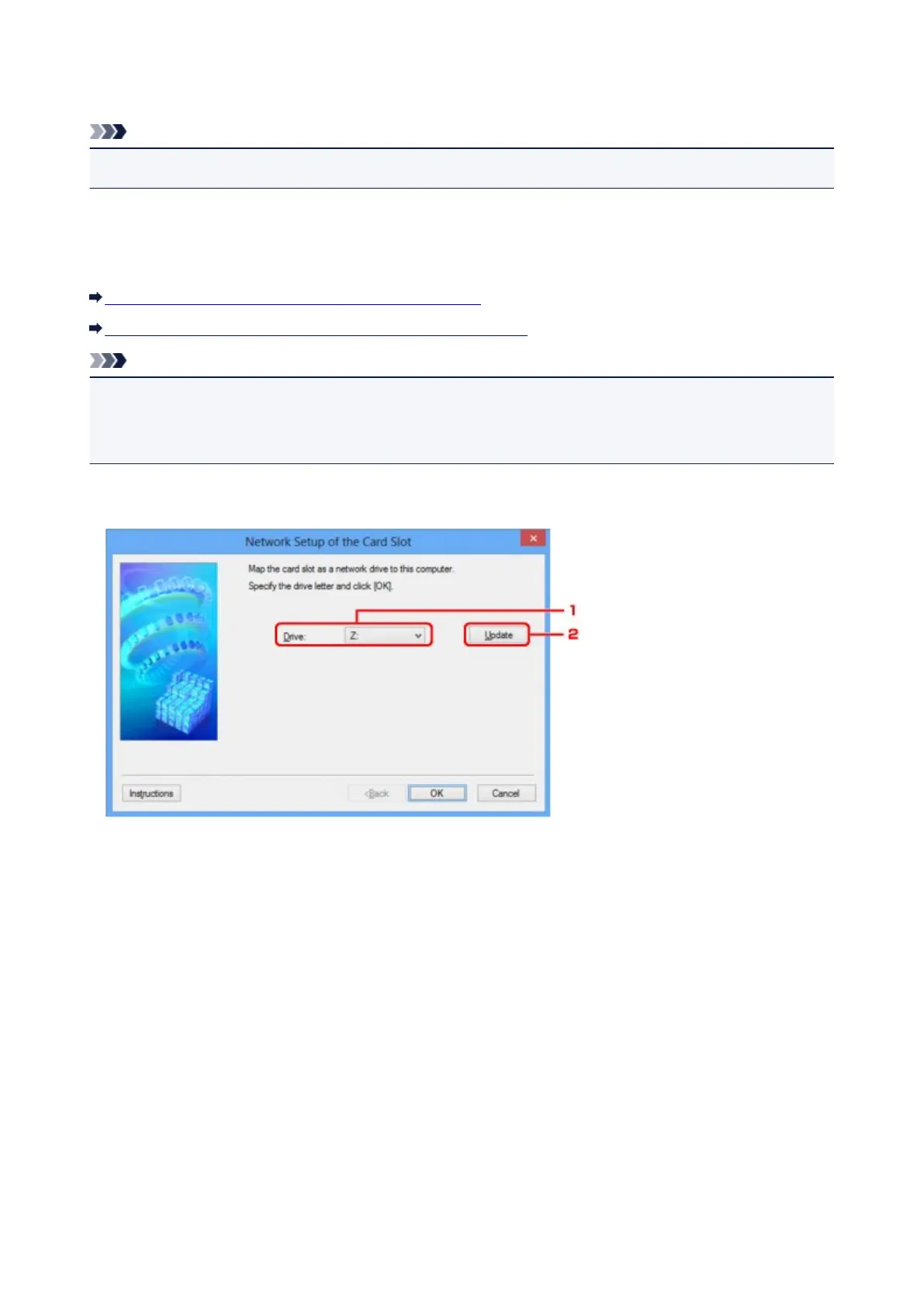
Network Setup of the Card Slot Screen
Note
• This screen is not available depending on the printer you are using.
Displays settings of the card slot and allows you to map a card slot on the network as a network drive on the
computer.
Displays when you click Setup on the Maintenance screen.
Network Setup of the Card Slot Screen (Setup Screen)
Network Setup of the Card Slot Screen (Setup Failed Screen)
Note
• You can change the network settings of the printer using IJ Network Tool with USB connection after
initializing the LAN settings. To change the network settings using IJ Network Tool, activate the LAN
settings in advance.
Network Setup of the Card Slot Screen (Setup Screen)
1.
Drive:
Select the drive letter to assign to the network drive.
2. Update
Reloads the drive letters that are unassigned in Computer (My Computer in Windows XP) and
displays them in the Drive: list.
Network Setup of the Card Slot Screen (Setup Failed Screen)
Display when the network setup of the card slot is failed.
228













 To Next Page