Using the Card Slot over a Network
Note
• This screen is not available depending on the printer you are using.
Mounting the Card Slot as the Network Drive
Restrictions on Card Slot Use over a Network
Mounting the Card Slot as the Network Drive
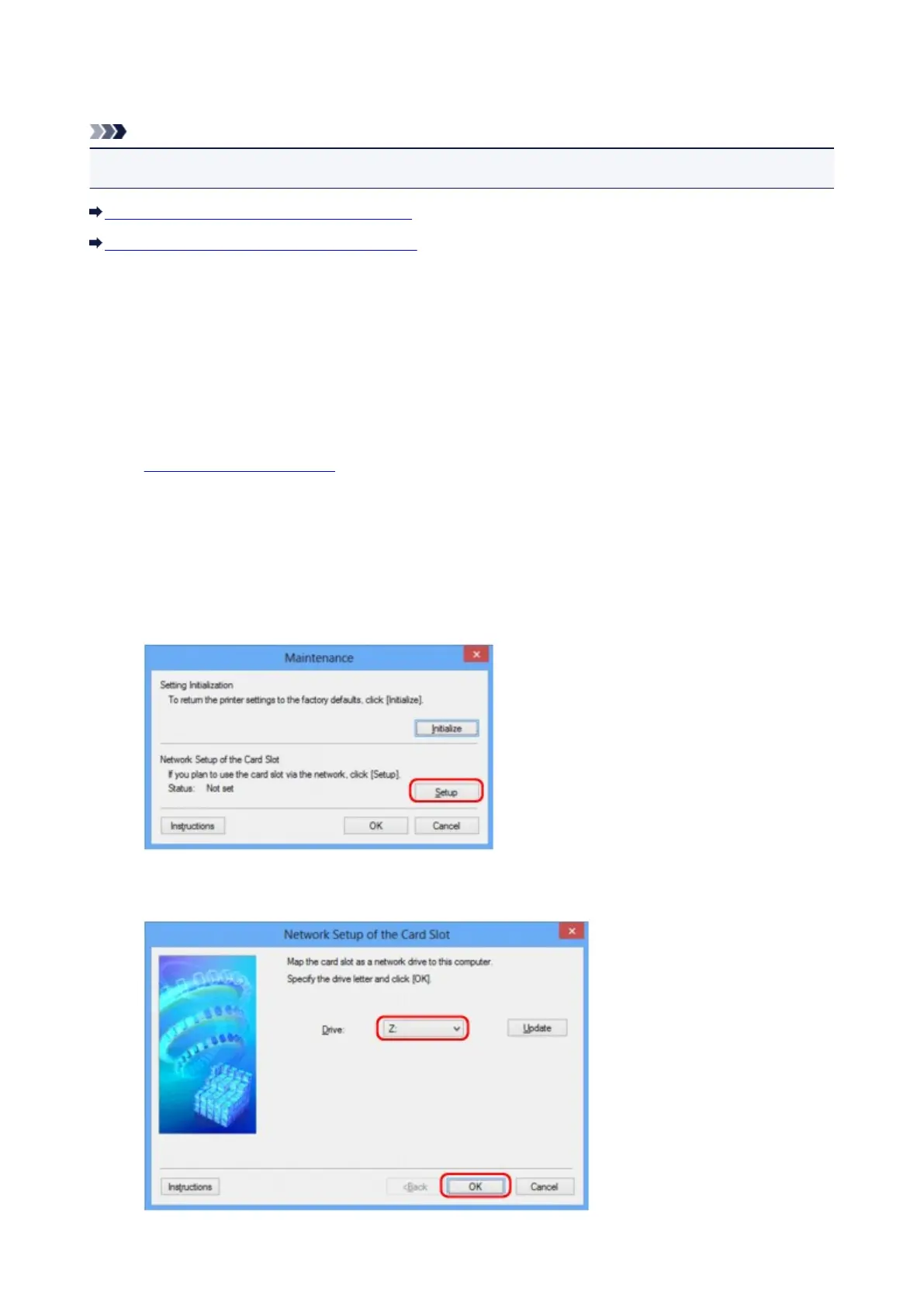
The card slot must be mounted to use it over a network.
To mount the card slot as the network drive, follow the procedure below.
1.
Insert a memory card into the card slot of the machine.
2.
Start up IJ Network Tool.
3.
Select the machine in Printers:.
4.
Select Maintenance... on the Settings menu.
5.
Click Setup.
6. Specify the drive letter, then click OK.
233













 To Next Page