Troubleshooting: Disable 'Access control' and IPsec
Introduction
In the following case:
• Access control and IPsec have been enabled without any station defined
and
• The communication between the controller and the host stations fails
Any remote connection to Océ Express WebTools is impossible. The system is unreachable.
Then, use the emergency procedure to disable IPsec and Access control via the printer user
panel.
Disable Access control on the printer user panel
Procedure
1.
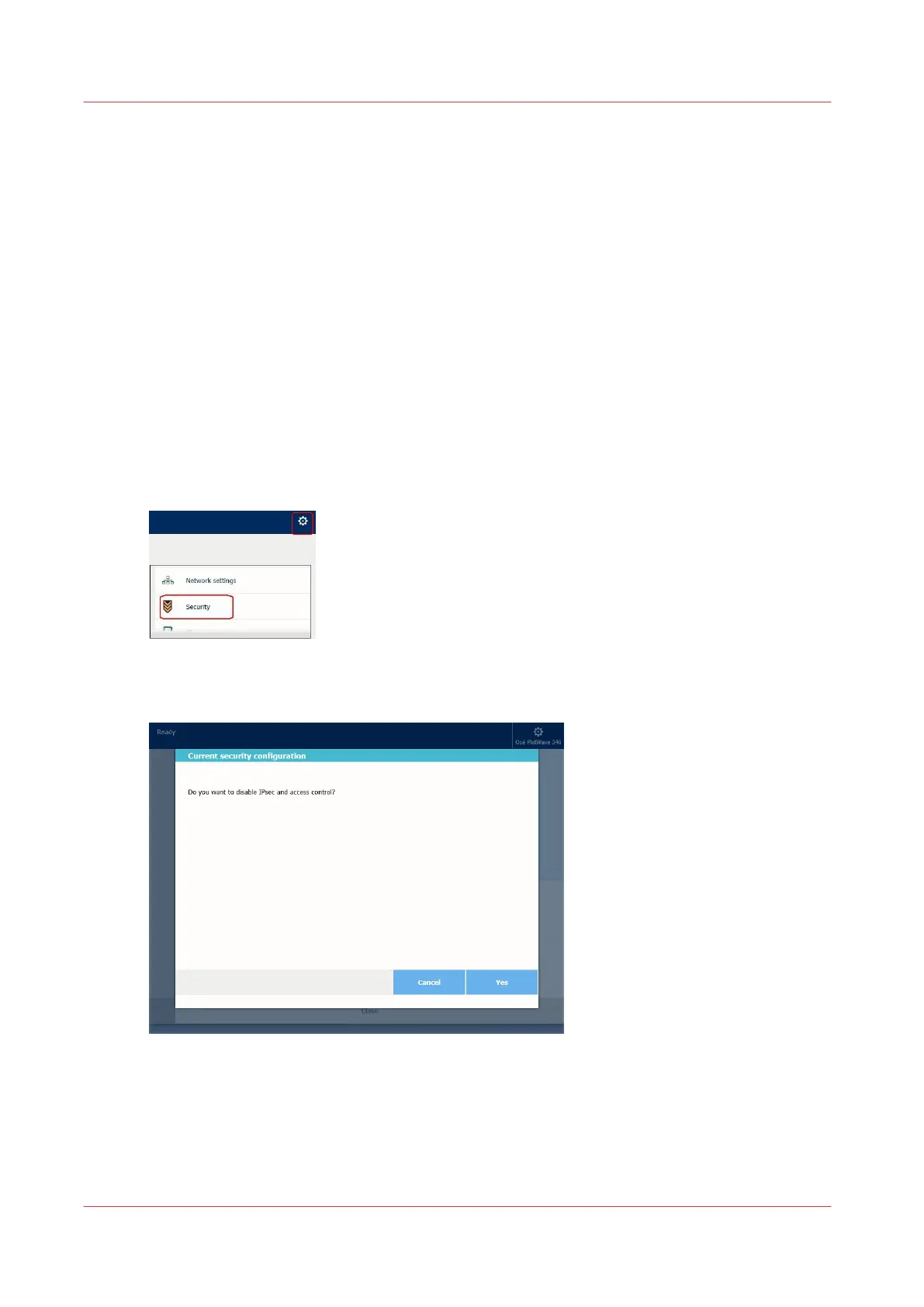
On the user panel, tap the upper right corner, to display the menu
2.
Select 'Security'
3.
Enter the System administrator (or Power user) password
4.
A wizard is displayed. Follow the instructions
5.
Confirm to disable access control
Troubleshooting: Disable 'Access control' and IPsec
218
Chapter 4 - Security on Océ PlotWave 345/365 and Océ PlotWave 450/550









 To Next Page