3.
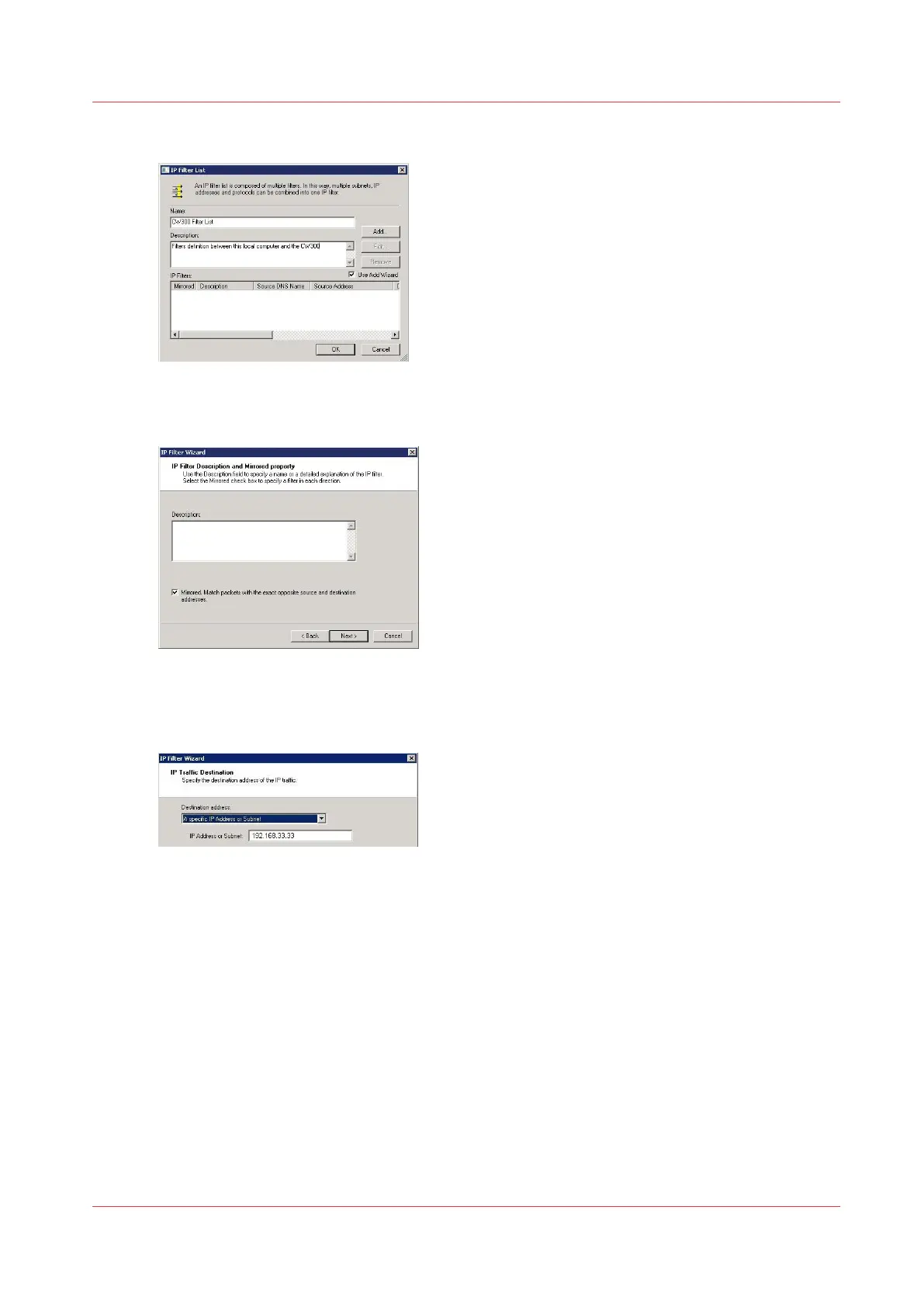
Enter a filter name and a description and click 'Add'
4.
Click 'Next' to open the wizard
5.
Check the 'Mirrored' checkbox and click 'Next'
6.
Select 'My IP address' as the 'Source address and click 'Next'
7.
Select 'A specific IP address or subnet' as 'Destination address' and enter the IP address of the
controller
8.
Select 'Any' as the 'IP Protocol Type' and click 'Next'
9.
Click 'Finish'
10.
In the 'IP filter list' window, click OK
The filter list is set
Create the filter list
Chapter 5 - Security on Océ ColorWave 550/600/650 (and Poster Printer)
259









 To Next Page