Adding a Printer
With one account, you can use the Canon Inkjet Cloud Printing Center services on multiple printers.
The procedure for adding a printer is as follows:
If your model has color LCD monitor
1.
Check that an e-mail containing the URL has been sent to the registered e-mail address,
and access the URL
2.
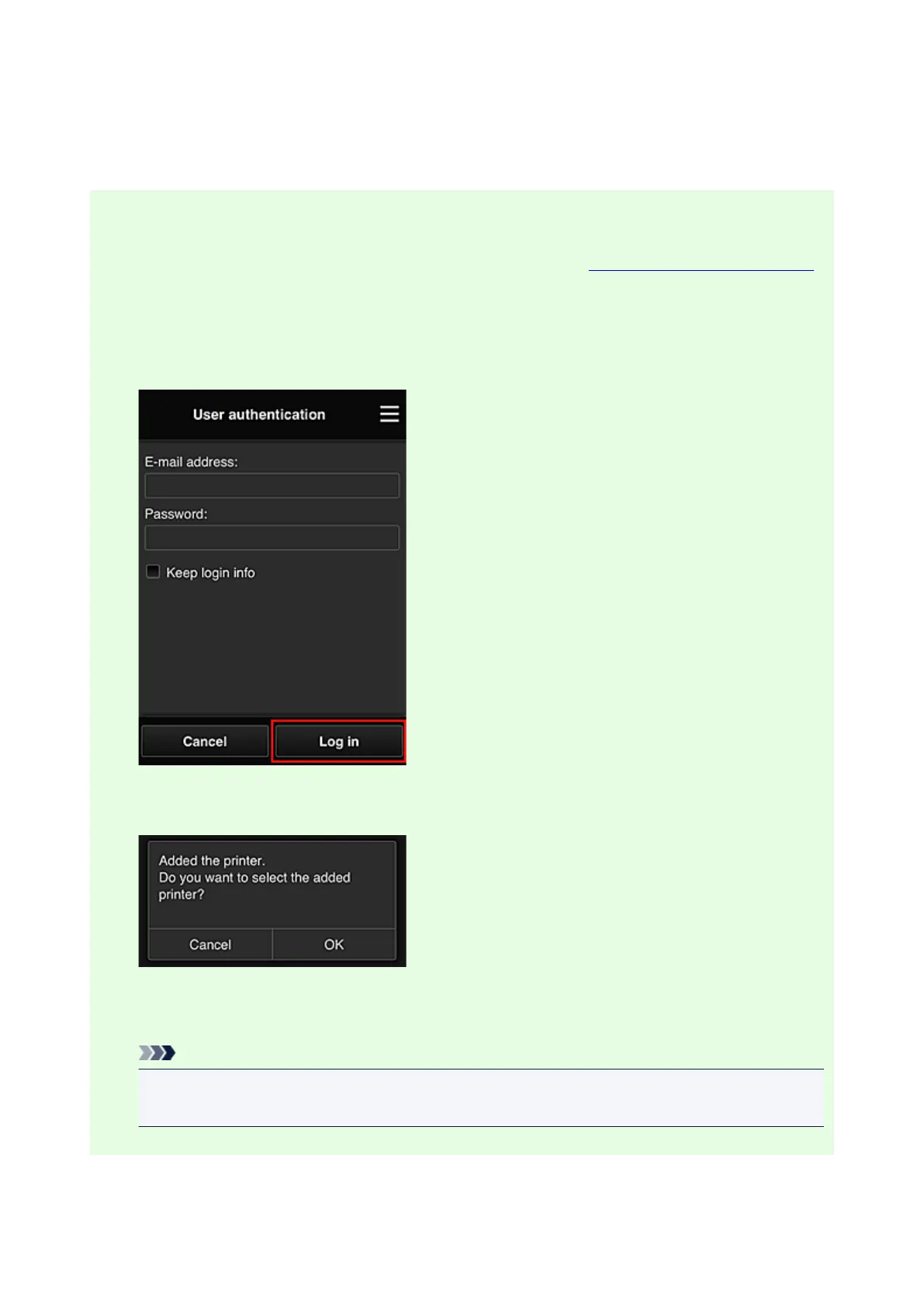
Enter the information according to the instructions on the authentication screen, and then
select Log in
3.
When printer addition complete message appears, select OK
The printer addition process ends, and the main screen of Canon Inkjet Cloud Printing Center
appears.
Note
•
If you select Cancel, the printer selection status does not change and the main screen of
Canon Inkjet Cloud Printing Center appears.
143







 To Next Page