Using Card Slot over Network
Note
• This function is not available depending on the printer you are using. To make sure whether this
function is available with your printer, refer to List of Function for Each Model.
Mounting Card Slot as Network Drive
Restrictions on Card Slot Use over Network
Mounting Card Slot as Network Drive
The card slot must be mounted to use it over a network.
To mount the card slot as the network drive, follow the procedure below.
1.
Insert memory card into card slot.
2.
Start up IJ Network Tool.
3.
Select machine in Printers:.
4.
Select Maintenance... on Settings menu.
5.
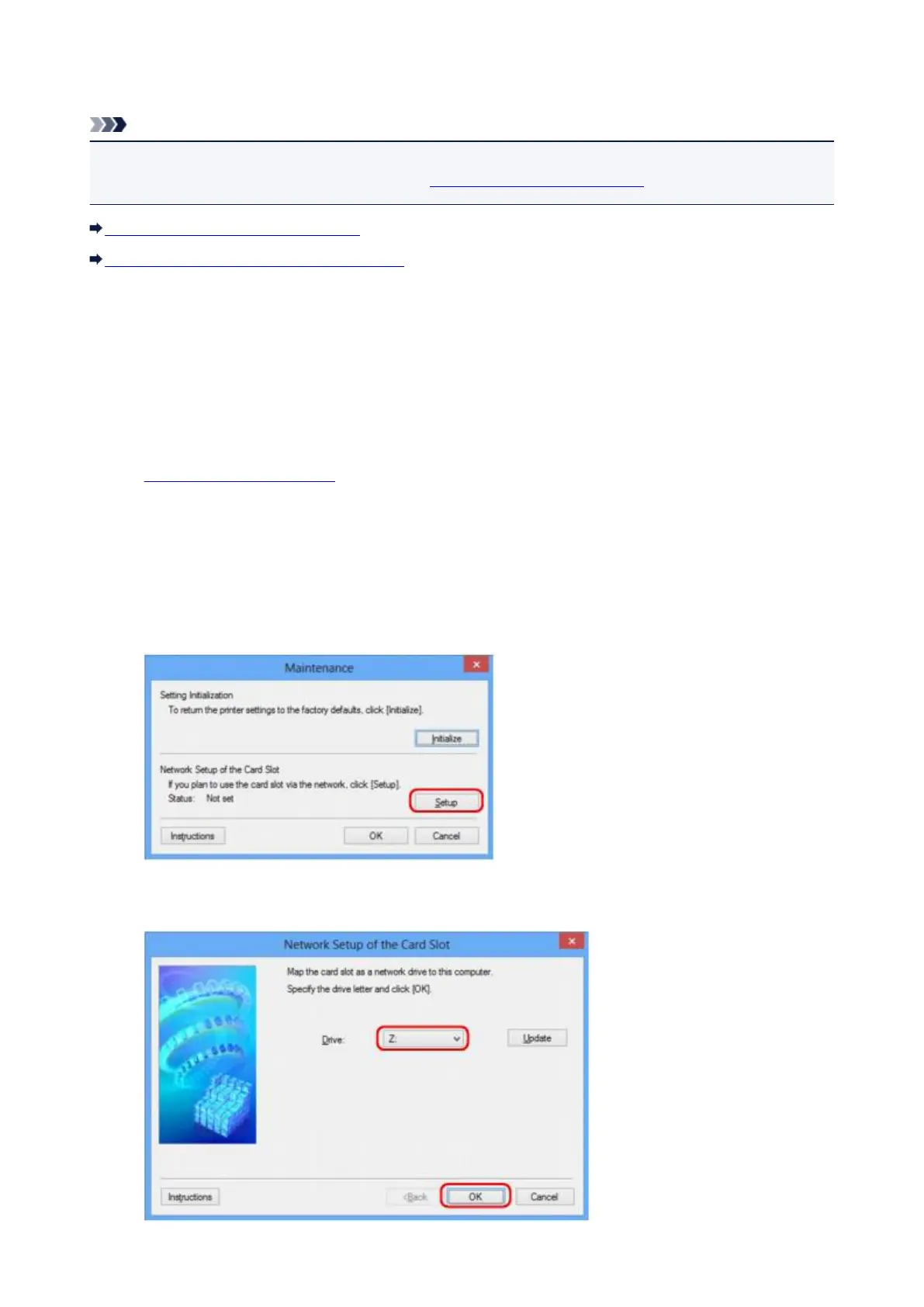
Click Setup.
6.
Specify drive letter and click OK.
348







 To Next Page