Direct Connection (Windows XP)
Restrictions
(Appears in a new window)
1.
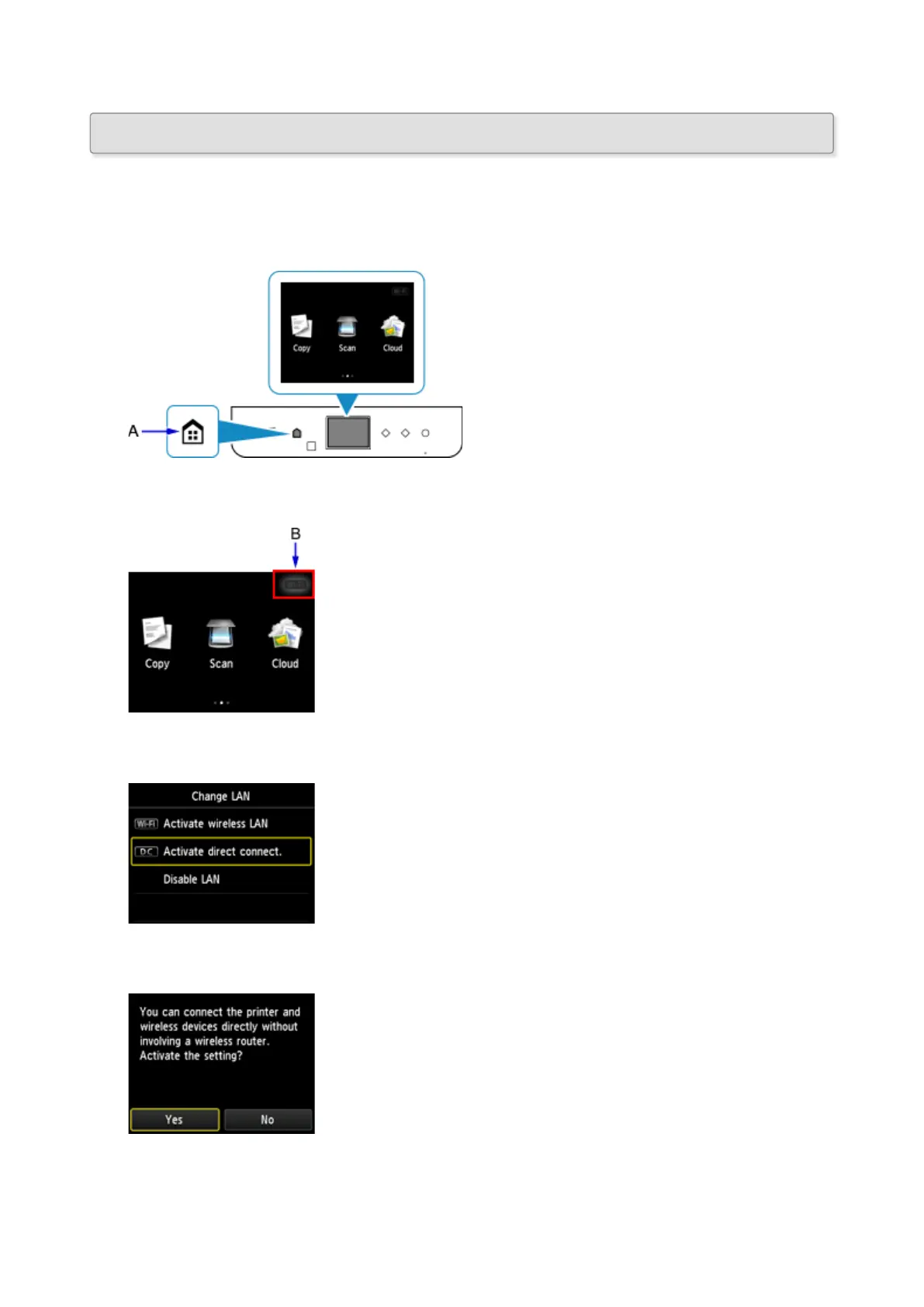
Press the HOME button (A) on the printer.
If an error screen is displayed, tap OK, then press the HOME button.
2.
Tap the upper right (B) of the screen.
3.
Tap Activate direct connect..
4.
Tap Yes.
5.
Check the SSID displayed in the printer screen.
50







 To Next Page