Registering Printer Information to PIXMA/MAXIFY Cloud Link
Follow the steps described below to register the printer information to the cloud service server.
1. Check that the printer is connected to the Internet
2.
From the printer home screen, select Cloud
Note
•
If multiple users will be using the printer after the initial registration, select the login user name
from the Switch user screen, enter the Security code, and proceed with the registration.
If the Security code is incorrect, use your smartphone, tablet, or computer, and change the
setting from the My account of the Canon Inkjet Cloud Printing Center.
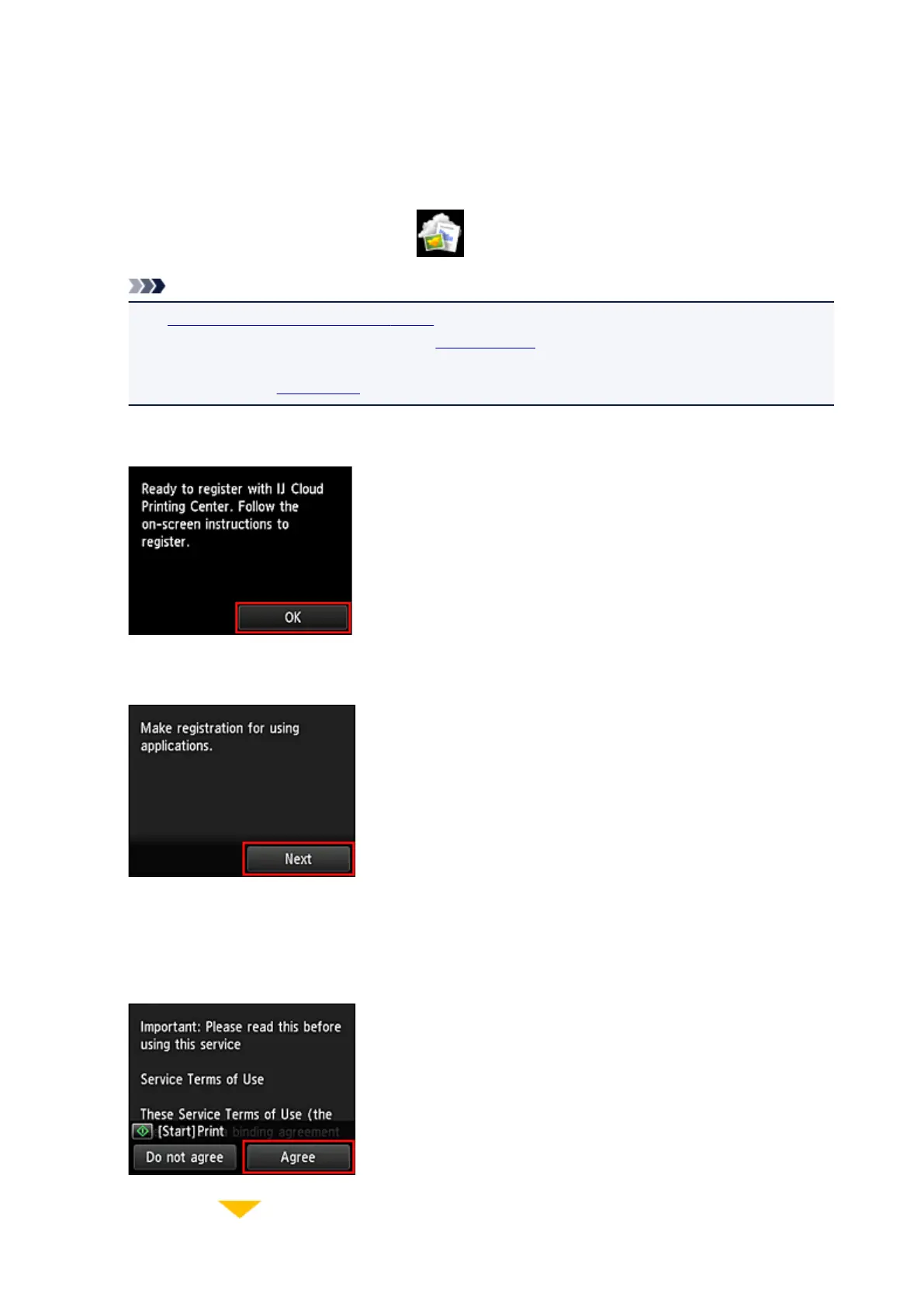
3.
When the registration preparation completed screen appears, select OK
4.
On the confirmation screen, select Next
5.
In the License agreement and Privacy statement windows, read the statements, and then
select Agree if you agree
<License agreement>
63







 To Next Page