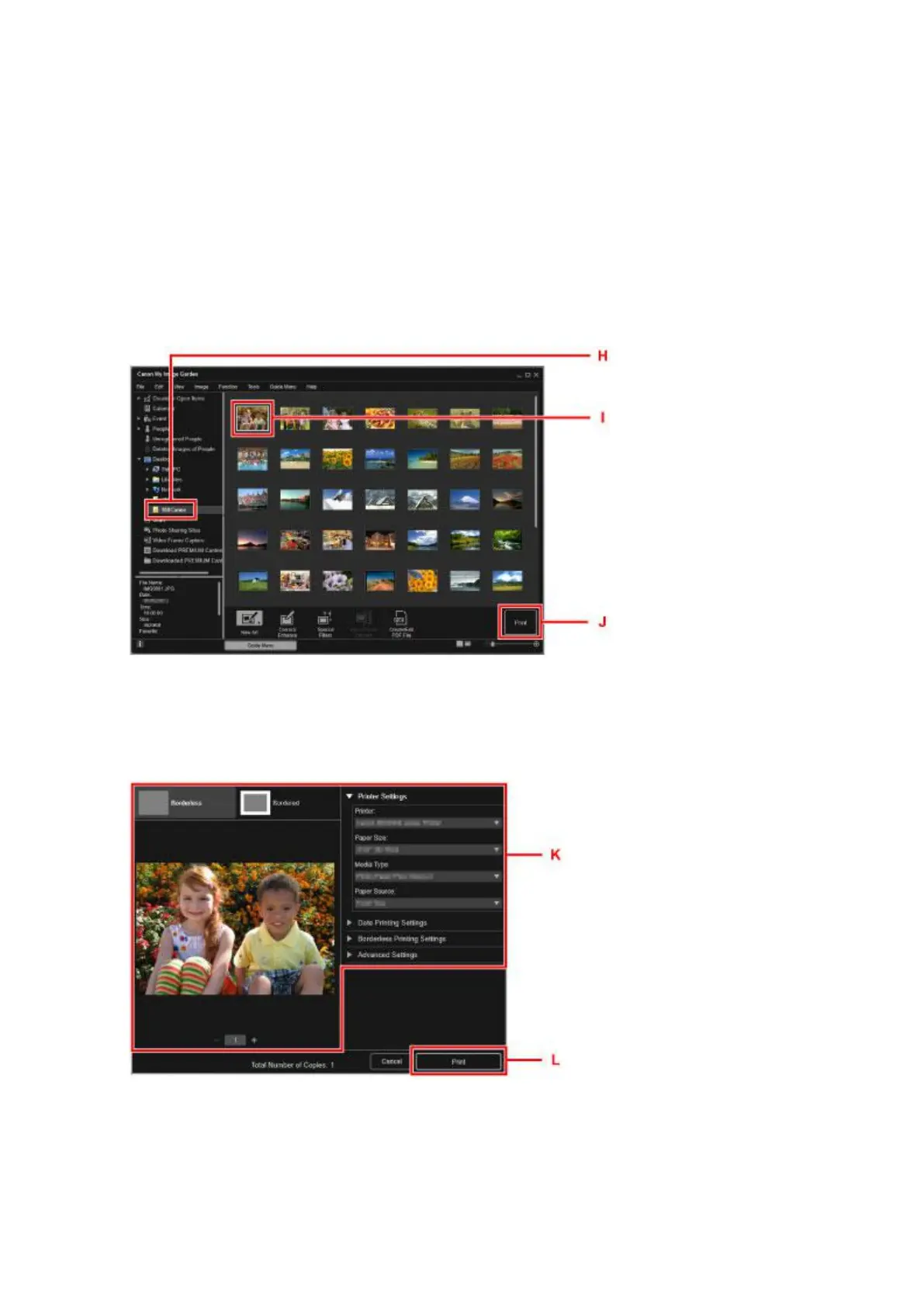
14. Click the folder (H) with photos you want to print.
15. Click the photos (I) you want to print.
For Windows:
To select two or more photos at a time, click photos while pressing the Ctrl key.
For Mac OS:
To select two or more photos at a time, click photos while pressing the command key.
16.
Click Print (J).
17.
Specify the number of copies, your machine name, media type, etc. (K).
18.
Click Print (L).
For Mac OS:
Click OK when the confirmation message appears, then click Print.
32







 To Next Page