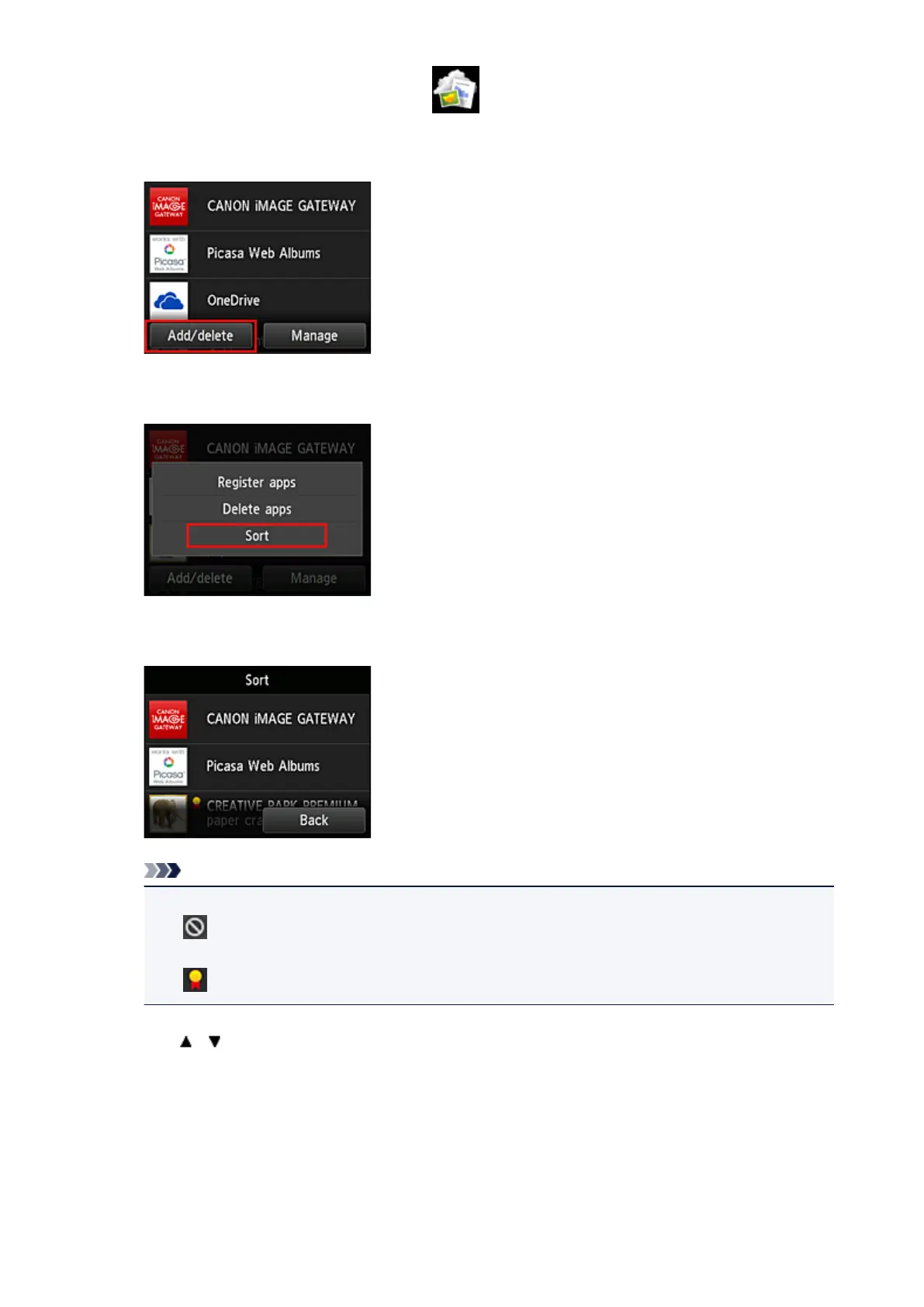
1. From the printer home screen, select Cloud
2. On the cloud's Main screen, select Add/delete
3.
Select Sort
4.
On the apps list, select the app that you want to sort
Note
•
Description of displayed icons
: Cannot be used because it is not yet released or does not support your region, model, or
language.
: Can be used with genuine Canon ink.
5.
Use / buttons to move the app
68






 To Next Page