Note
• Description of displayed icons
: Cannot be used because it is not yet released or does not support your region, model, or
language.
: Can be used with genuine Canon ink.
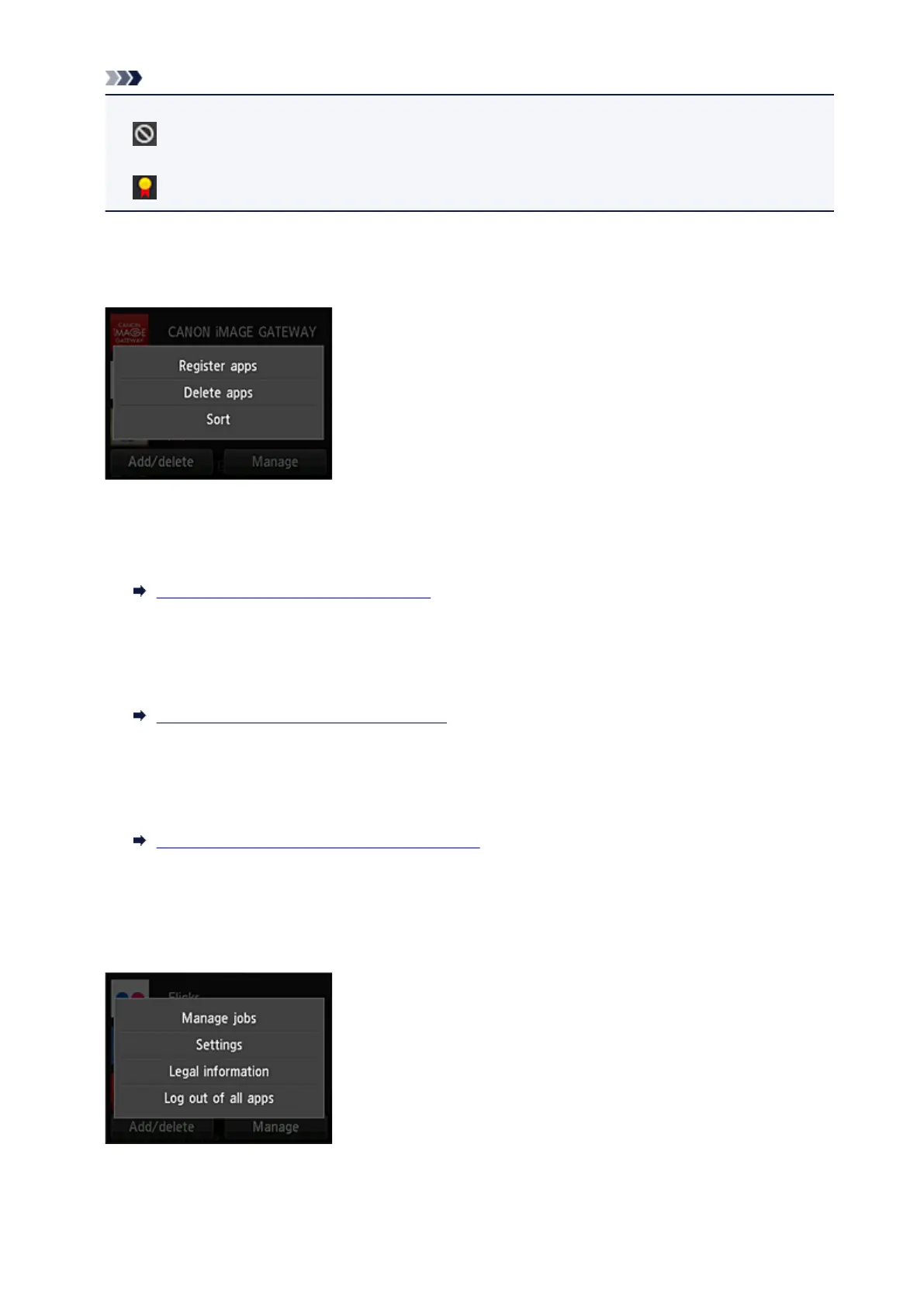
(2) Add/delete button
Use this button to add, delete, and sort apps.
Register apps
Select this to add your favorite apps.
See here for details on how to add apps
Delete apps
Select this to delete registered apps.
See here for details on how to delete apps
Sort
Select this to sort the apps list.
See here for details on how to sort the apps list
(3) Manage button
Use this button to manage jobs, log out of an app, show the license agreement and privacy statement,
and set the time zone.
Manage jobs
From the Status list window, you can check the status of a job.
74






 To Next Page