102
Troubleshooting
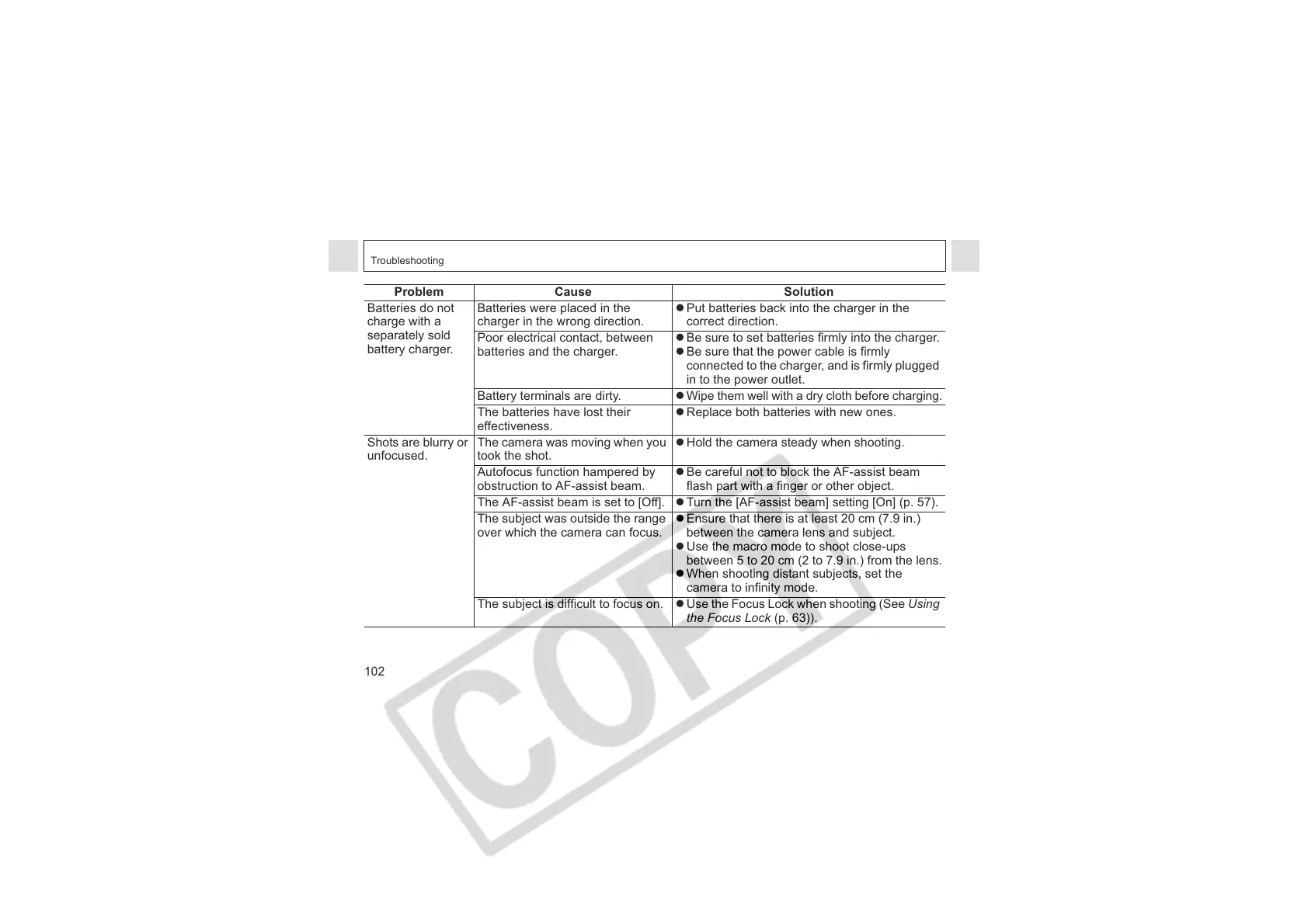
Batteries do not
charge with a
separately sold
battery charger.
Batteries were placed in the
charger in the wrong direction.
z Put batteries back into the charger in the
correct direction.
Poor electrical contact, between
batteries and the charger.
z Be sure to set batteries firmly into the charger.
z Be sure that the power cable is firmly
connected to the charger, and is firmly plugged
in to the power outlet.
Battery terminals are dirty. z
Wipe them well with a dry cloth before charging.
The batteries have lost their
effectiveness.
z Replace both batteries with new ones.
Shots are blurry or
unfocused.
The camera was moving when you
took the shot.
z Hold the camera steady when shooting.
Autofocus function hampered by
obstruction to AF-assist beam.
z Be careful not to block the AF-assist beam
flash part with a finger or other object.
The AF-assist beam is set to [Off]. z Turn the [AF-assist beam] setting [On] (p. 57).
The subject was outside the range
over which the camera can focus.
z Ensure that there is at least 20 cm (7.9 in.)
between the camera lens and subject.
z Use the macro mode to shoot close-ups
between 5 to 20 cm (2 to 7.9 in.) from the lens.
z When shooting distant subjects, set the
camera to infinity mode.
The subject is difficult to focus on. z Use the Focus Lock when shooting (See Using
the Focus Lock (p. 63)).
Problem Cause Solution












 To Next Page