54
Selecting Menus and Settings
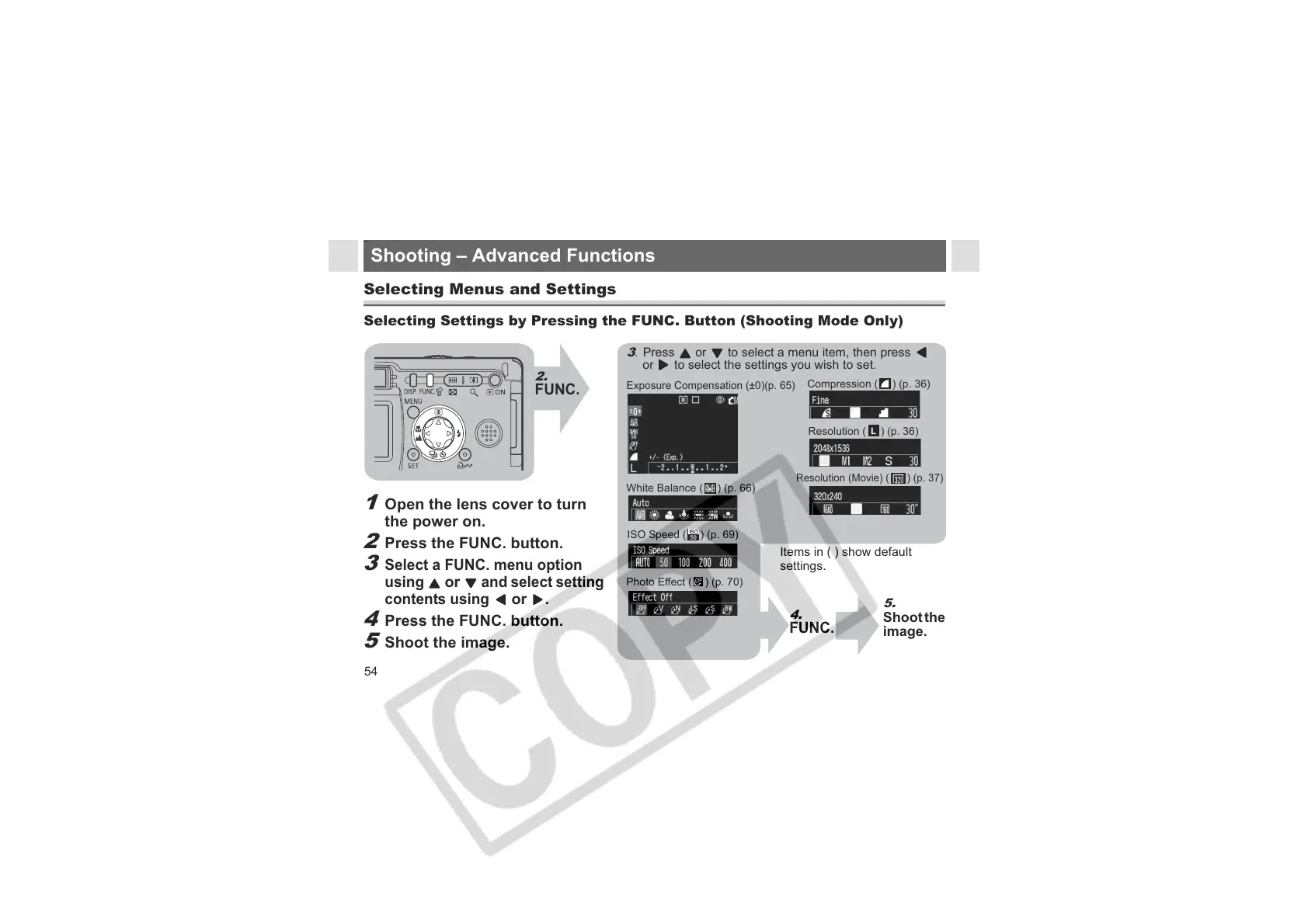
Selecting Settings by Pressing the FUNC. Button (Shooting Mode Only)
2.
FUNC.
58
Shooting – Advanced Functions
Exposure Compensation (±0)(p. 65)
3
. Press or to select a menu item, then press
or to select the settings you wish to set.
White Balance ( ) (p. 66)
ISO Speed ( ) (p. 69)
Resolution ( ) (p. 36)
Compression ( ) (p. 36)
Items in ( ) show default
settings.
5.
Shoot the
image.
4.
FUNC.
Photo Effect ( ) (p. 70)
Resolution (Movie) ( ) (p. 37)
1
Open the lens cover to turn
the power on.
2
Press the FUNC. button.
3
Select a FUNC. menu option
using
or
and select setting
contents using
or
.
4
Press the FUNC. button.
5
Shoot the image.












 To Next Page