15
Preparing the Camera
Installing the Battery and CF Card
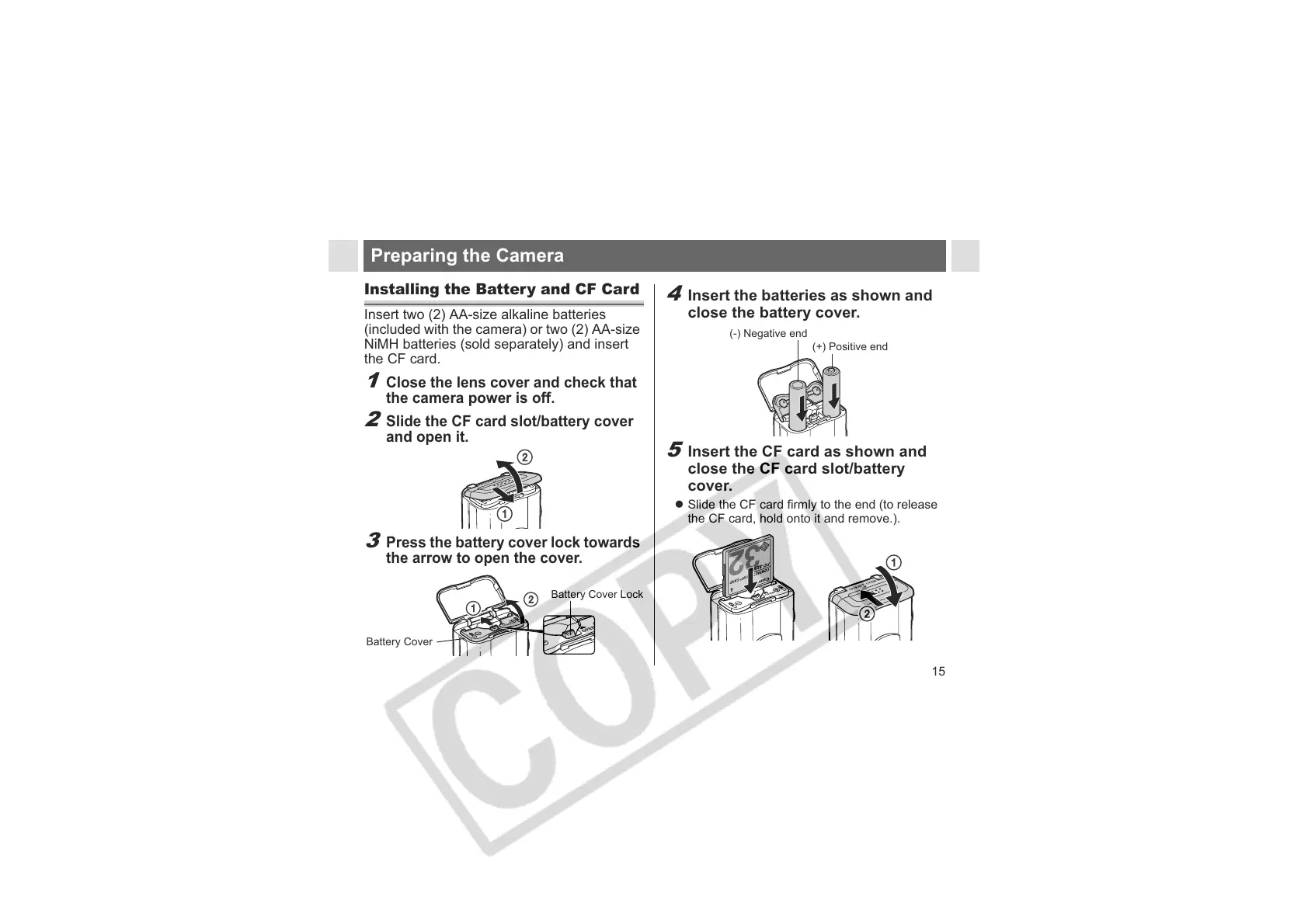
Insert two (2) AA-size alkaline batteries
(included with the camera) or two (2) AA-size
NiMH batteries (sold separately) and insert
the CF card.
1
Close the lens cover and check that
the camera power is off.
2
Slide the CF card slot/battery cover
and open it.
3
Press the battery cover lock towards
the arrow to open the cover.
Battery Cover
Battery Cover Lock
4
Insert the batteries as shown and
close the battery cover.
5
Insert the CF card as shown and
close the CF card slot/battery
cover.
z Slide the CF card firmly to the end (to release
the CF card, hold onto it and remove.).
(-) Negative end
(+) Positive end












 To Next Page