14
Components Guide
.
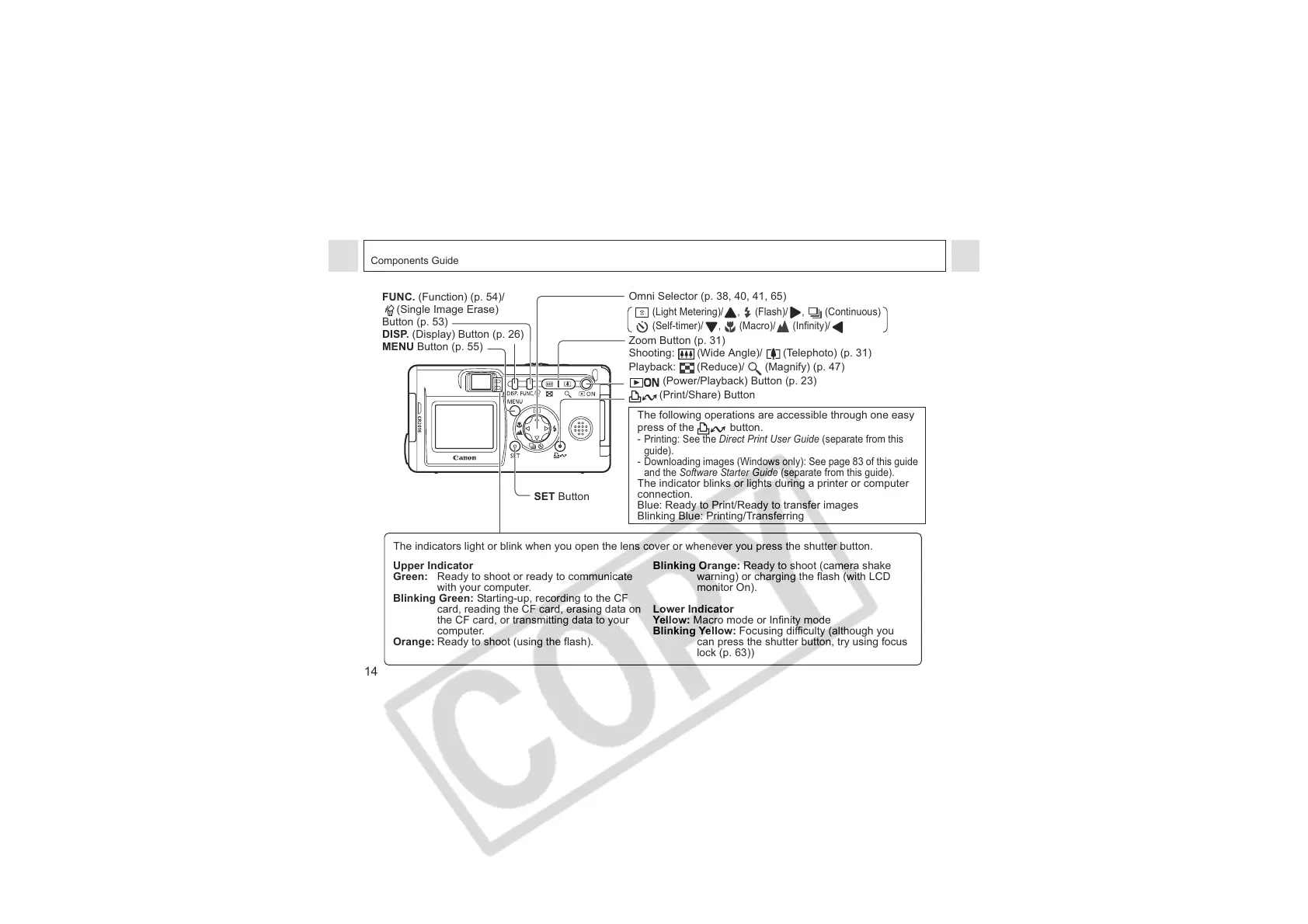
FUNC. (Function) (p. 54)/
(Single Image Erase)
Button (p. 53)
DISP. (Display) Button (p. 26)
MENU Button (p. 55)
SET Button
Omni Selector (p. 38, 40, 41, 65)
(Light Metering)/ , (Flash)/ , (Continuous)
(Self-timer)/ , (Macro)/ (Infinity)/
Zoom Button (p. 31)
Shooting:
(
Wide Angle)/ (Telephoto) (p. 31)
Playback: (Reduce)/ (Magnify) (p. 47)
(Power/Playback) Button (p. 23)
(Print/Share) Button
The following operations are accessible through one easy
press of the button.
- Printing: See the Direct Print User Guide (separate from this
guide).
- Downloading images (Windows only): See page 83 of this guide
and the Software Starter Guide (separate from this guide).
The indicator blinks or lights during a printer or computer
connection.
Blue: Ready to Print/Ready to transfer images
Blinking Blue: Printing/Transferring
The indicators light or blink when you open the lens cover or whenever you press the shutter button.
Upper Indicator
Green: Ready to shoot or ready to communicate
with your computer.
Blinking Green: Starting-up, recording to the CF
card, reading the CF card, erasing data on
the CF card, or transmitting data to your
computer.
Orange: Ready to shoot (using the flash).
Blinking Orange: Ready to shoot (camera shake
warning) or charging the flash (with LCD
monitor On).
Lower Indicator
Yellow: Macro mode or Infinity mode
Blinking Yellow: Focusing difficulty (although you
can press the shutter button, try using focus
lock (p. 63))












 To Next Page