26
Basic Functions
Using the LCD Monitor
Use the LCD monitor to shoot and review images, for menu operations and playing back
images.
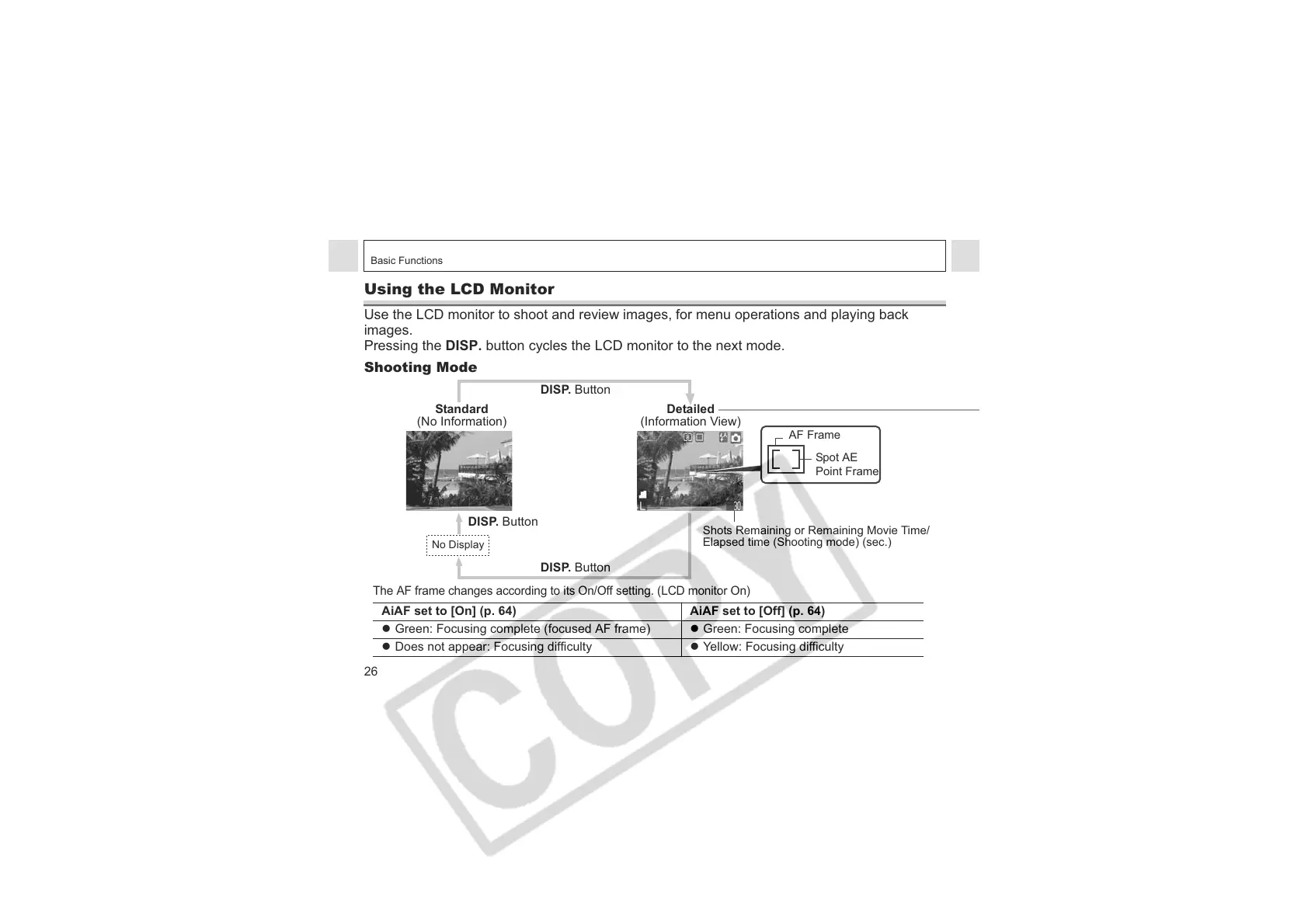
Pressing the DISP. button cycles the LCD monitor to the next mode.
Shooting Mode
The AF frame changes according to its On/Off setting. (LCD monitor On)
AiAF set to [On] (p. 64) AiAF set to [Off] (p. 64)
z Green: Focusing complete (focused AF frame) z Green: Focusing complete
z Does not appear: Focusing difficulty z Yellow: Focusing difficulty
Standard
(No Information)
Detailed
(Information View)
DISP. Button
DISP. Button
DISP. Button
No Display
Shots Remaining or Remaining Movie Time/
Elapsed time (Shooting mode) (sec.)
Spot AE
Point Frame
AF Frame












 To Next Page