27
Basic Functions
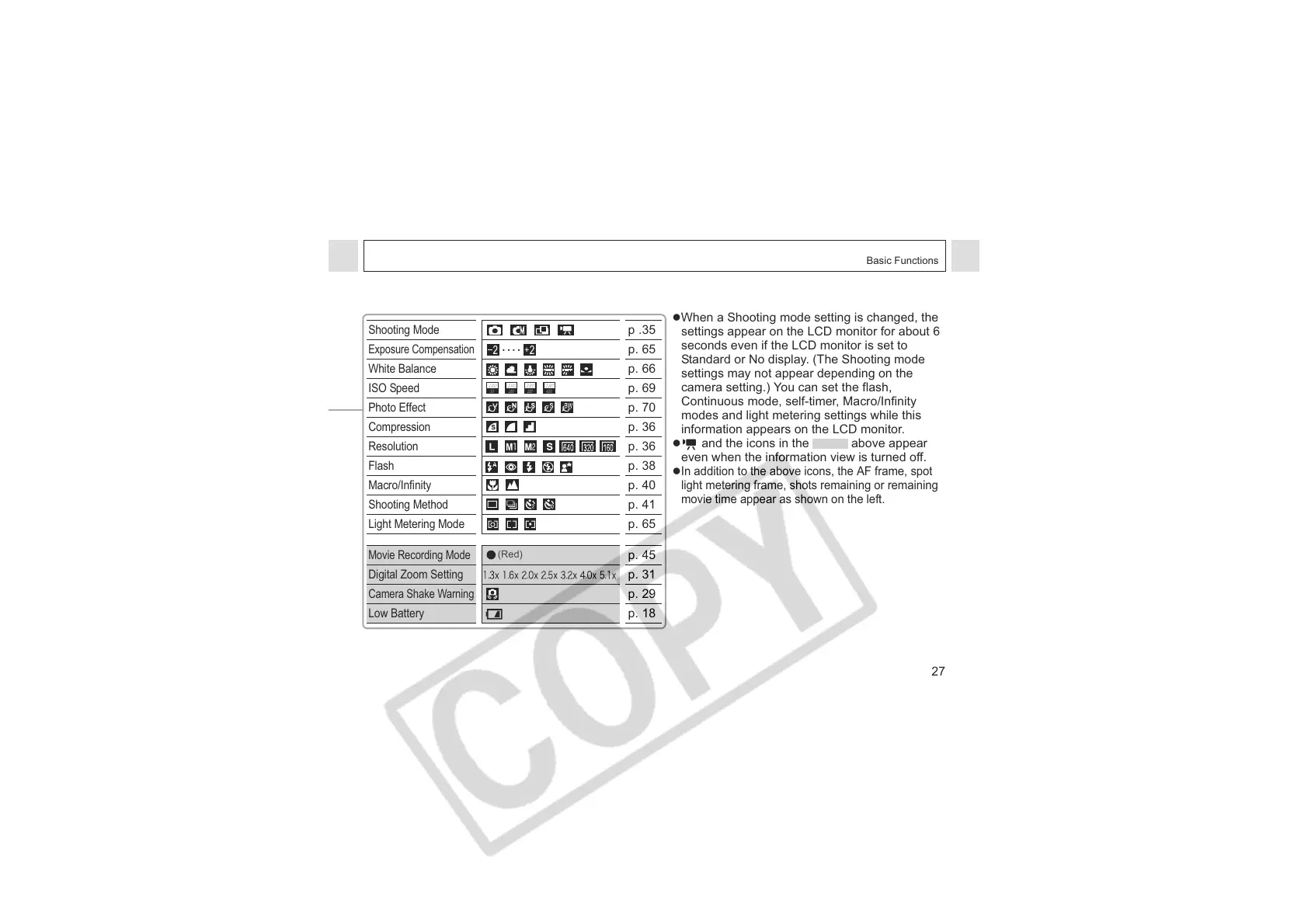
zWhen a Shooting mode setting is changed, the
settings appear on the LCD monitor for about 6
seconds even if the LCD monitor is set to
Standard or No display. (The Shooting mode
settings may not appear depending on the
camera setting.) You can set the flash,
Continuous mode, self-timer, Macro/Infinity
modes and light metering settings while this
information appears on the LCD monitor.
z and the icons in the above appear
even when the information view is turned off.
z
In addition to the above icons, the AF frame, spot
light metering frame, shots remaining or remaining
movie time appear as shown on the left.
Shooting Mode
p .35
Exposure Compensation
p. 65
White Balance
p. 66
ISO Speed
p. 69
Photo Effect
p. 70
Compression
p. 36
Resolution
p. 36
Flash
p. 38
Macro/Infinity
p. 40
Shooting Method
p. 41
Light Metering Mode
p. 65
Movie Recording Mode
p. 45
Digital Zoom Setting
p. 31
Camera Shake Warning
p. 29
Low Battery
p. 18
ISO
50
ISO
100
ISO
200
ISO
400
(Red)












 To Next Page