105
Appendix
Replacing the Date Battery
If the LCD monitor displays the Date/Time
menu when you turn on the camera, this
means that the date battery has run down
and the clock has stopped running. Please
purchase a replacement battery (battery type
CR2016) and install it as follows. (The date
battery is preinstalled at the factory and may
therefore expire earlier than its rated lifespan
after the camera has been purchased.)
Be particularly careful to keep the date
batteries out of the reach of children. Seek
medical assistance immediately if a child
swallows a battery since corrosive battery
fluids could damage the stomach or
intestinal wall.
1
Be sure that the camera is turned
off.
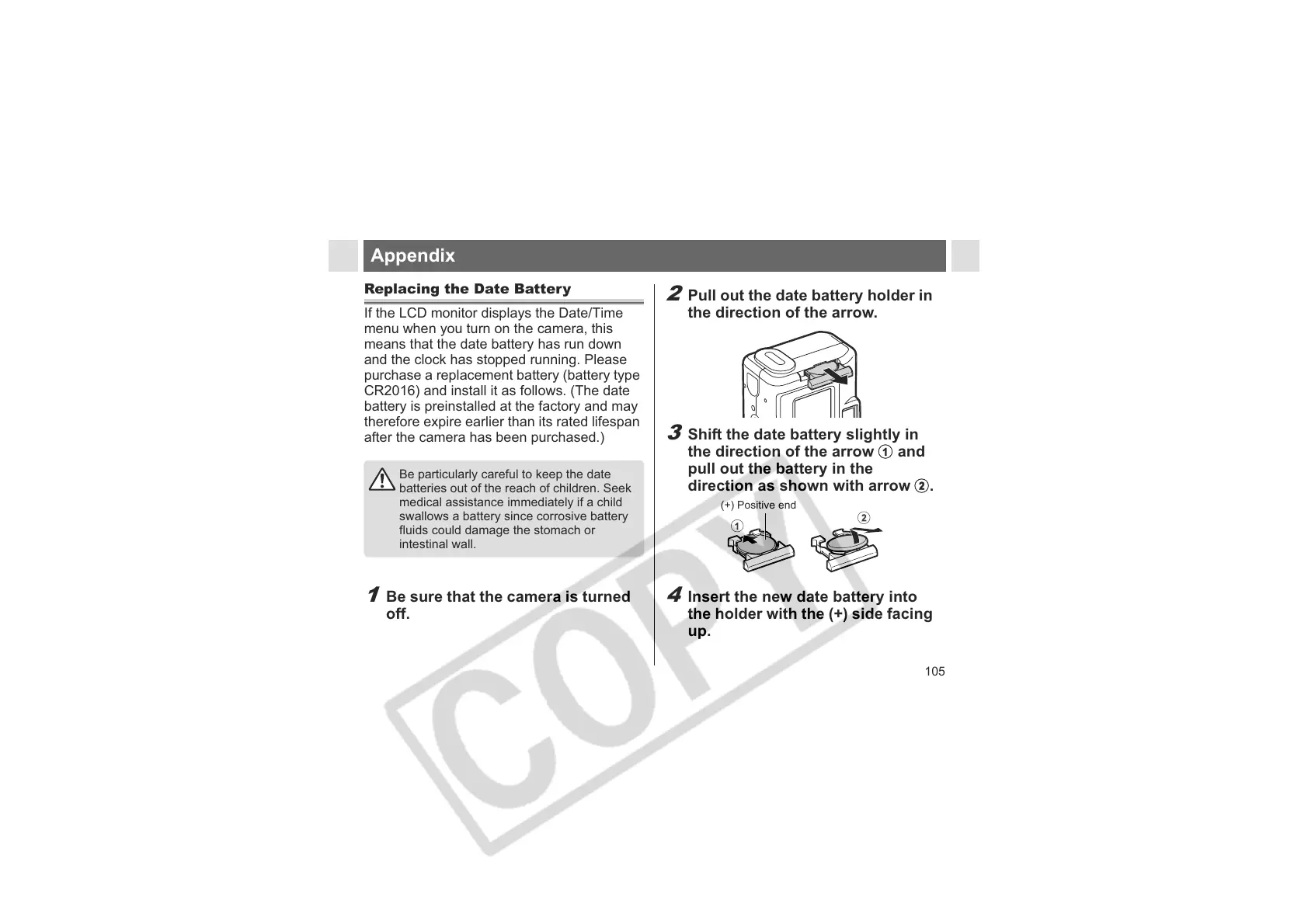
2
Pull out the date battery holder in
the direction of the arrow.
3
Shift the date battery slightly in
the direction of the arrow a and
pull out the battery in the
direction as shown with arrow b.
4
Insert the new date battery into
the holder with the (+) side facing
up.
(+) Positive end












 To Next Page