80
Various Functions
Setting the Print Style
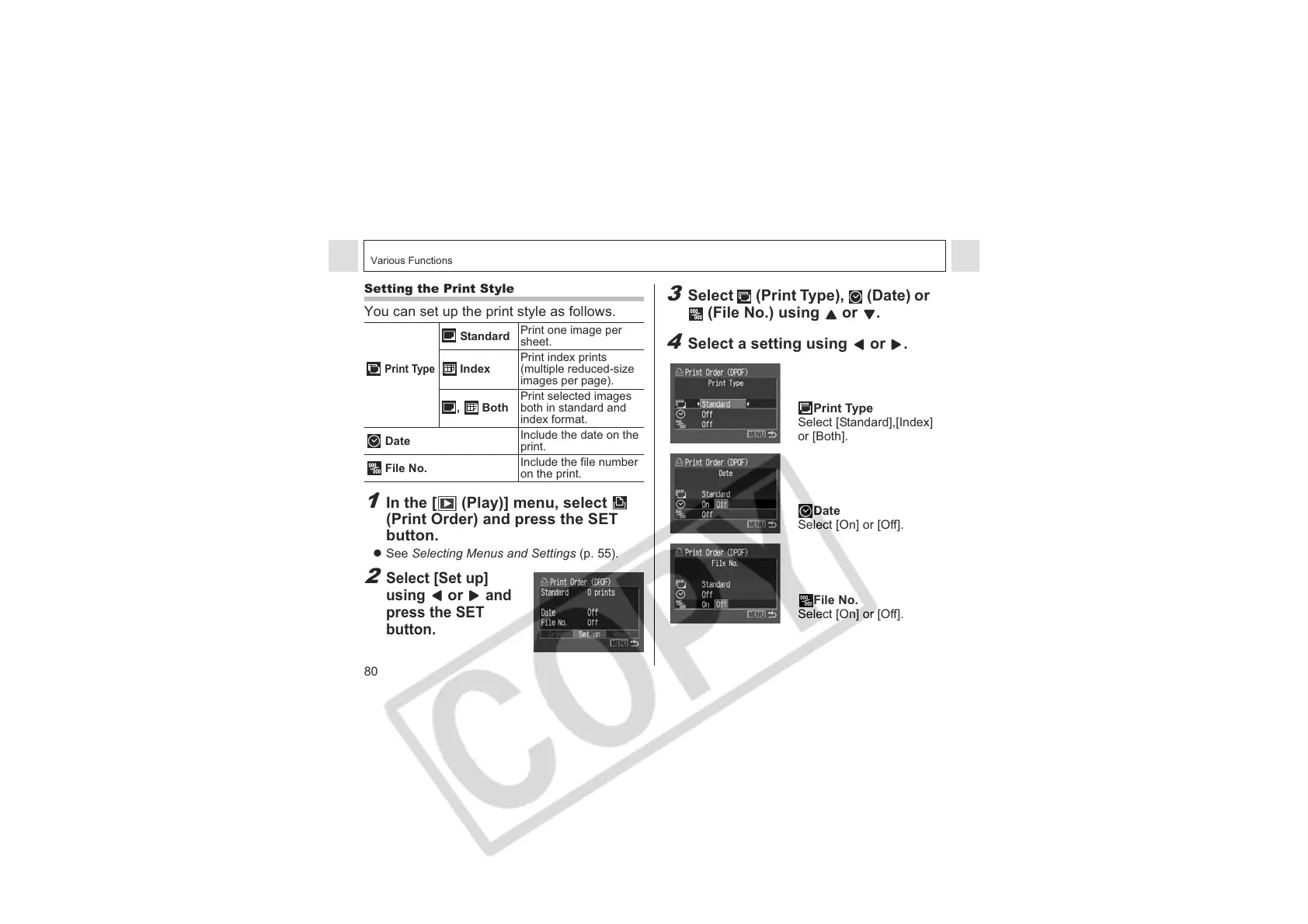
You can set up the print style as follows.
1
In the [ (Play)] menu, select
(Print Order) and press the SET
button.
z See Selecting Menus and Settings (p. 55).
2
Select [Set up]
using
or
and
press the SET
button.
Standard
Print one image per
sheet.
Print Type
Index
Print index prints
(multiple reduced-size
images per page).
, Both
Print selected images
both in standard and
index format.
Date
Include the date on the
print.
File No.
Include the file number
on the print.
3
Select (Print Type), (Date) or
(File No.) using or .
4
Select a setting using or .
Print Type
Select [Standard],[Index]
or [Both].
Date
Select [On] or [Off].
File No.
Select [On] or [Off].












 To Next Page