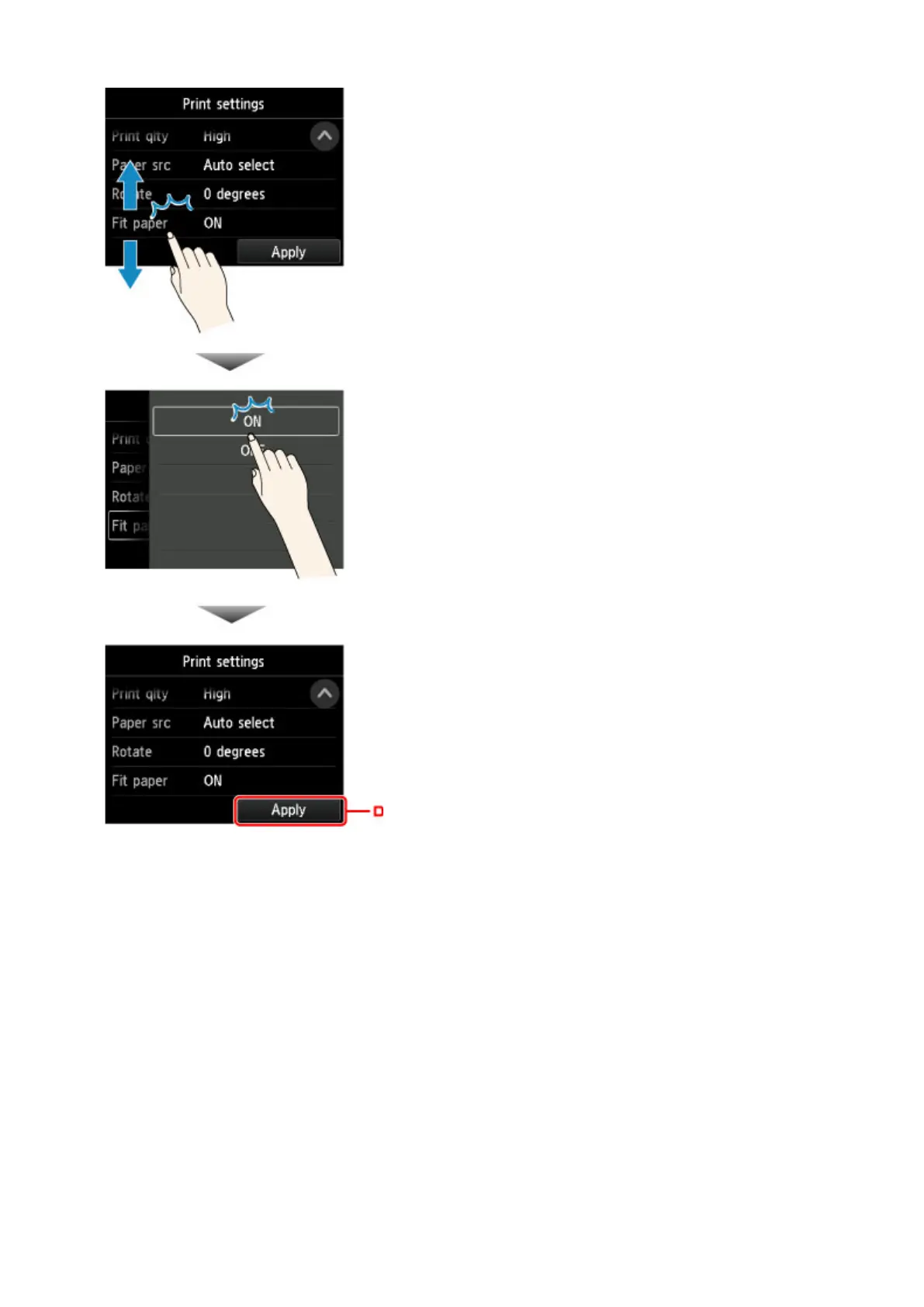
Drag up or down, and then tap an item to select it.
After the list is displayed, tap a setting to select it.
Tap D to confirm the settings.
Tap C to display the screen for selecting the number of copies.
Tap a number to specify the number of copies, and then tap OK.
136







 To Next Page