Cannot Proceed beyond Printer Connection Screen/Connect Cable
Screen
If you cannot proceed beyond the Printer Connection screen or the Connect Cable screen, check the
following.
Check1
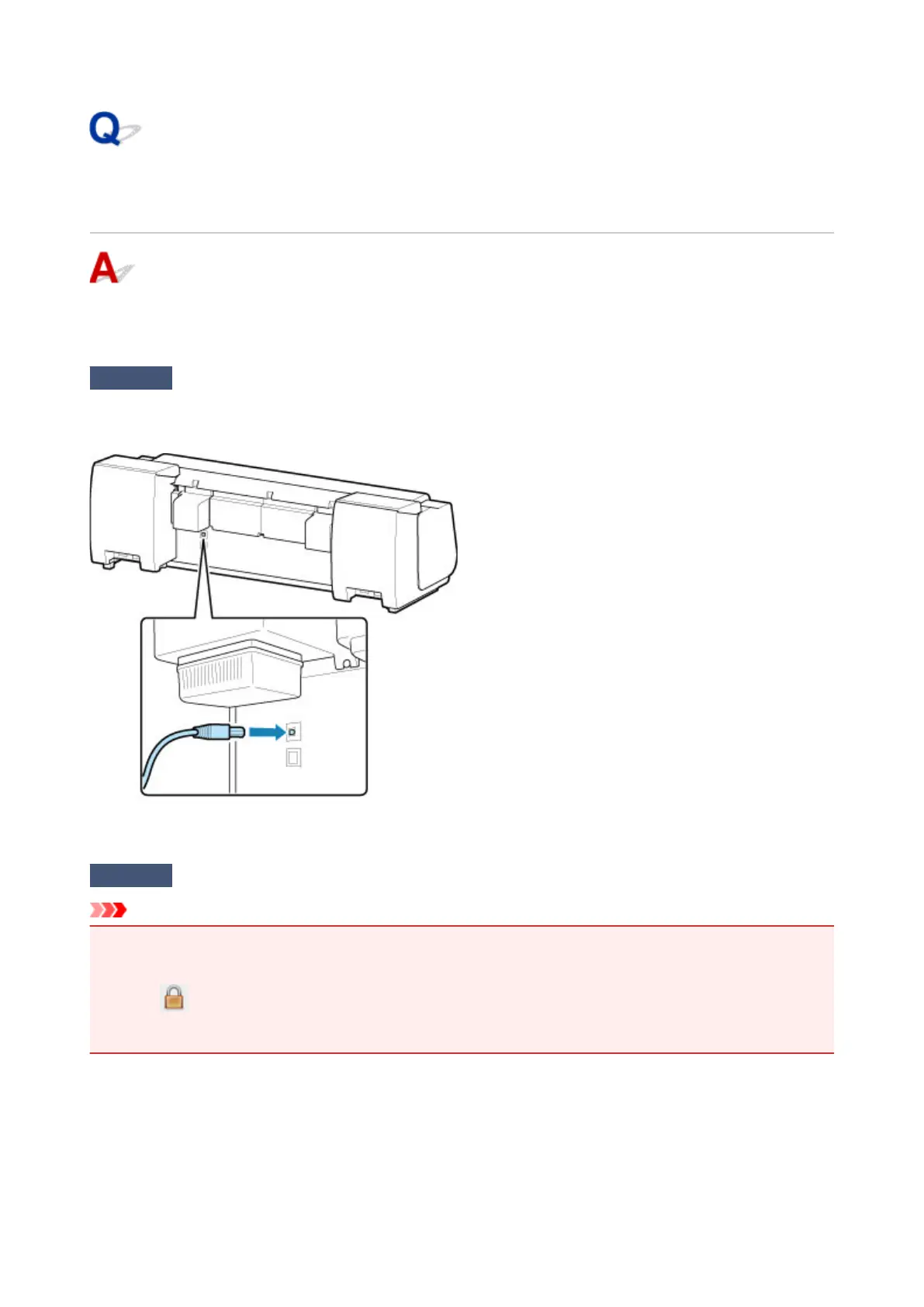
Make sure USB cable is securely plugged in to printer and computer.
Connect the printer and the computer using a USB cable as the illustration below. The USB port is located at the
back of the printer.
Check the items below only if you cannot proceed beyond the Printer Connection screen.
Check2
Follow procedure below to connect printer and computer again.
Important
• For Mac OS, make sure the lock icon is on the lower left of the Printers & Scanners screen (Print & Scan
screen in Mac OS X v10.8 or Mac OS X v10.7).
If the icon (locked) is displayed, click the icon to unlock. (The administrator name and the password
are necessary to unlock.)
1.
Turn off printer.
2. Unplug USB cable from printer and computer and connect it again.
3. Turn on printer.
660












 To Next Page