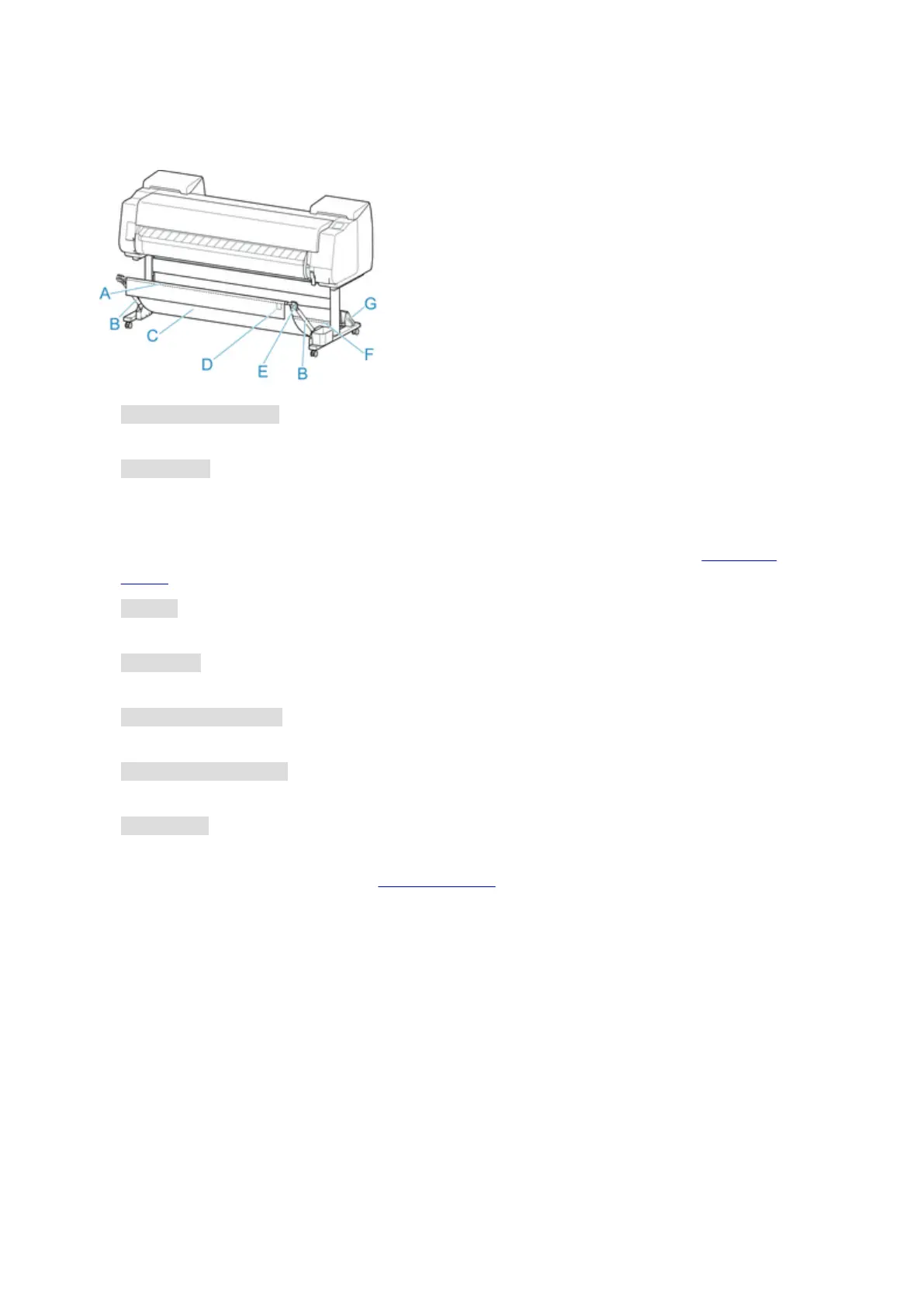
Parts of the Basket
A. Basket Rod (tag side)
Secures the cloth basket to the tips of the basket arm.
B. Basket Arm
Retains the basket rod (tag side).
By changing the length and the angle, you can make the basket suitable for various conditions.
When not using the basket, you can lower it and store alongside of the stand. (See "Storing the
Basket.")
C. Basket
A cloth tray that catches ejected documents.
D. White Tag
Marks indicating basket attachment orientation.
E. Basket Rewind Button
Press this button when rewinding the basket after it has been wound on the basket rod (tag side).
F. Basket Rod (cord side)
Secures the cloth basket on the rod holder.
G. Rod Holder
Retains the basket rod (cord side).
For instructions on using the basket, see "Using the Basket."
96












 To Next Page