EasyManua.ls Logo

Canon UC800 - Thank You and Getting Started

Canon UC800
56 pages
Print Icon
To Next Page IconTo Next Page
To Previous Page IconTo Previous Page
Loading...
Thank
you
for
choosing
a
Canon
I
First,
we’d
like
to
thank
you
for
buying
this
Canon
camcorder.
Its
advanced
technology
makes
it
very
easy
to
use
you
will
soon
be
making
high-quality
home
videos
which
will
give
you
pleasure
for
years
to
come.
3
I
To
get
the
most
out
of
your
new
camcorder,
you
should
read
this
manual
thoroughly
there
are
many
sophisticated
features
which
will
add
to
your
recording
enjoyment.
I
To
get
started,
you
will
need
to
read
these
sections:
“Basic
Recording”
“Power
Sources”
“Cassettes”
“Preparing
the
Camera”
Then
you
can
go
on
to
find
out
about
the
more
advanced
features.
I
As
well
as
using
the
alphabetical
index,
you
can
look
up
the
different
parts
and
functions
in
the
sections
called
“Nomenclature"
and
“Viewfinder
Displays.”
There’s
also
a
“Troubleshooting”
section
in
case
you
run
into
any
problems.
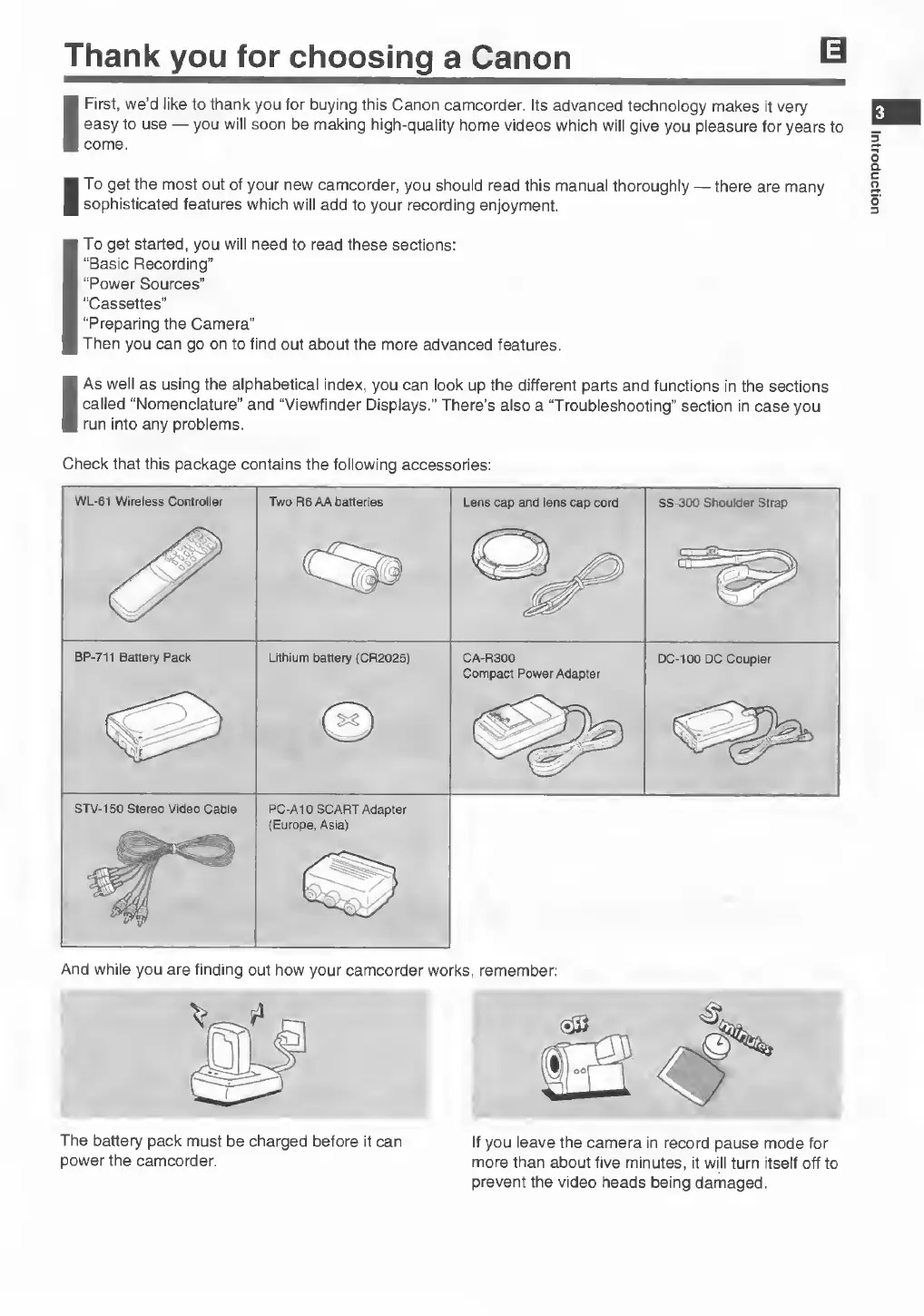
Check
that
this
package
contains
the
following
accessories:
WL-61
Wireless
Controller
Two
R6
AA
batteries
Lens
cap
and
lens
cap
cord
SS-300
Shoulder
Strap
BP-711
Battery
Pack
Lithium
battery
(CR2025)
CA-R300
Compact
Power
Adapter
DC-100
DC
Coupler
©
STV-150
Stereo
Video
Cable
PC-A10
SCART
Adapter
{Europe,
Asia)
And
while
you
are
finding
out
how
your
camcorder
works,
remember:
The
battery
pack
must
be
charged
before
it
can
power
the
camcorder.
If
you
leave
the
camera
in
record
pause
mode
for
more
than
about
five
minutes,
it
will
turn
itself
off
to
prevent
the
video
heads
being
damaged.
Introduction

Related product manuals