EasyManua.ls Logo

Canon UC800 - Record Search and Review

Canon UC800
56 pages
Print Icon
To Next Page IconTo Next Page
To Previous Page IconTo Previous Page
Loading...
Advanced
Functions
Record
Search
and
Record
Review
When
the
camera
is
in
record
pause
mode,
you
When
the
camera
is
in
record
pause
mode,
you
can
use
record
search
to
play
the
tape
forwards
or
can
use
record
review
to
play
back
the
last
few
backwards
to
find
the
point
where
you
want
to
start
seconds
of
your
recording
and
then
return
or
restart
recording.
This
is
useful
when
you
want
automatically
to
record
pause
mode.
You
can
to
add
a
new
scene
to
a
previously
used
cassette.
quickly
make
sure
that
a
scene
has
recorded
By
using
record
search,
you
can
ensure
a
smooth,
properly
and
then
go on
to
shoot
the
next
scene,
1^1
noise-free
join
between
the
new
scene
and
the
old
without
producing
any
noise
in
the
picture,
one.
1.
Make
sure
the
camera
is
in
record
pause
mode.
2.
Press
and
hold
the
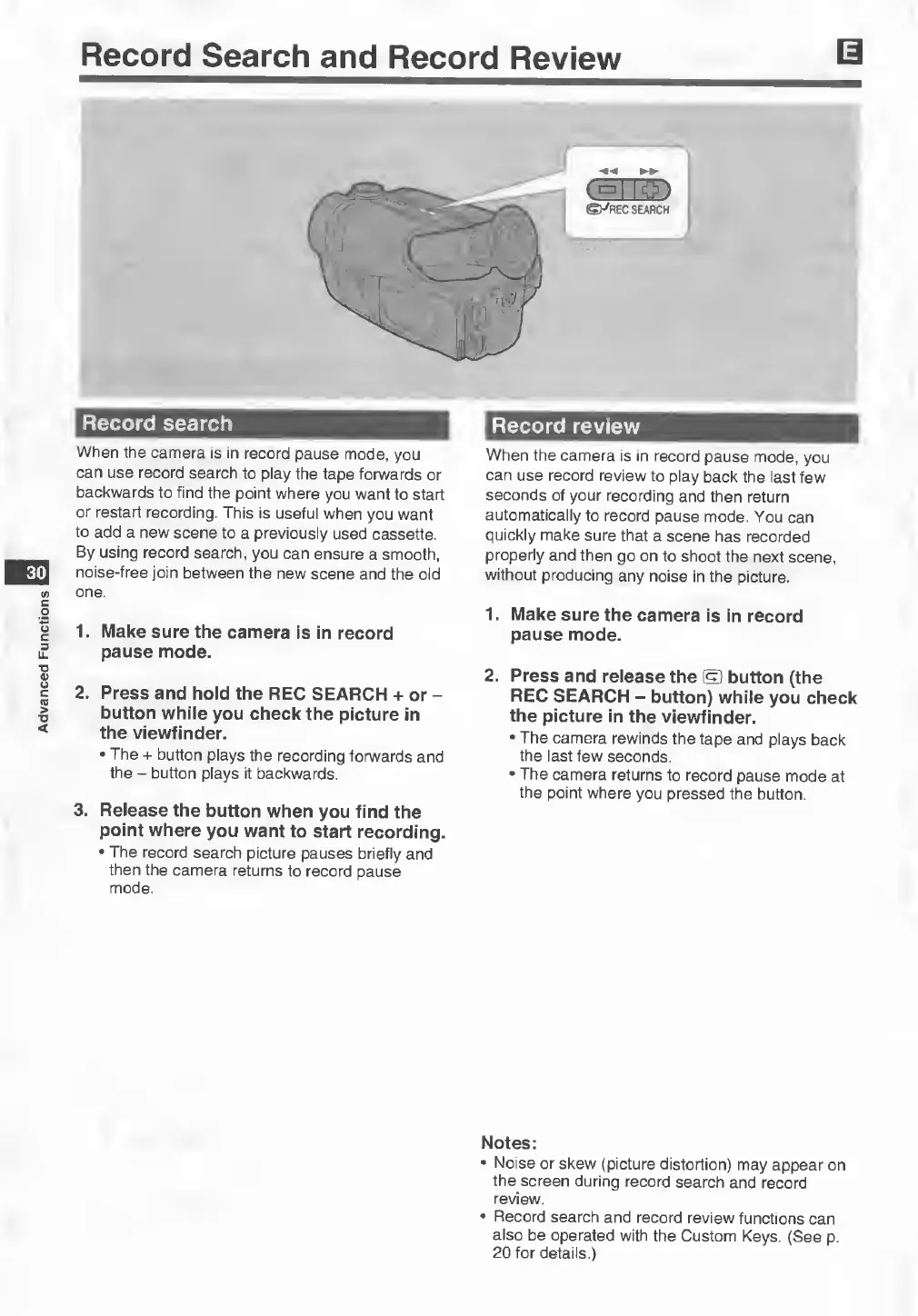
REC
SEARCH
+
or
-
button
while
you
check
the
picture
in
the
viewfinder.
•
The
+
button
plays
the
recording
forwards
and
the
-
button
plays
it
backwards.
3.
Release
the
button
when
you
find
the
point
where
you
want
to
start
recording.
•
The
record
search
picture
pauses
briefly
and
then
the
camera
returns
to
record
pause
mode.
1.
Make
sure
the
camera
is
in
record
pause
mode.
2.
Press
and
release
the
®
button
(the
REC
SEARCH
-
button)
while
you
check
the
picture
in
the
viewfinder.
•
The
camera
rewinds
the
tape
and
plays
back
the
last
few
seconds.
•
The
camera
returns
to
record
pause
mode
at
the
point
where
you
pressed
the
button.
Notes:
•
Noise
or
skew
(picture
distortion)
may
appear
on
the
screen
during
record
search
and
record
review.
•
Record
search
and
record
review
functions
can
also
be
operated
with
the
Custom
Keys.
(See
p.
20
for
details.)