EasyManua.ls Logo

Canon UC800 - Power Sources

Canon UC800
56 pages
Print Icon
To Next Page IconTo Next Page
To Previous Page IconTo Previous Page
Loading...
Power
Sources
S
Before
operating
your
camera,
you
will
need
to
use
the
power
adapter
to:
provide
power
from
a
mains
outlet
or
charge
a
battery
pack
Notes:
The
power
adapter
converts
current
from
a
household
mains
outlet
(100-240
V
AC,
50-60
Hz)
to
the
DC
current
used
by
your
camera.
If
the
adapter
is
used
next
to
a
TV,
it
may
cause
the
TV
to
emit
noise
move
the
adapter
away
from
the
TV
or
the
aerial
cable.
|
Connecting
the
camera
to
a
mains
outlet
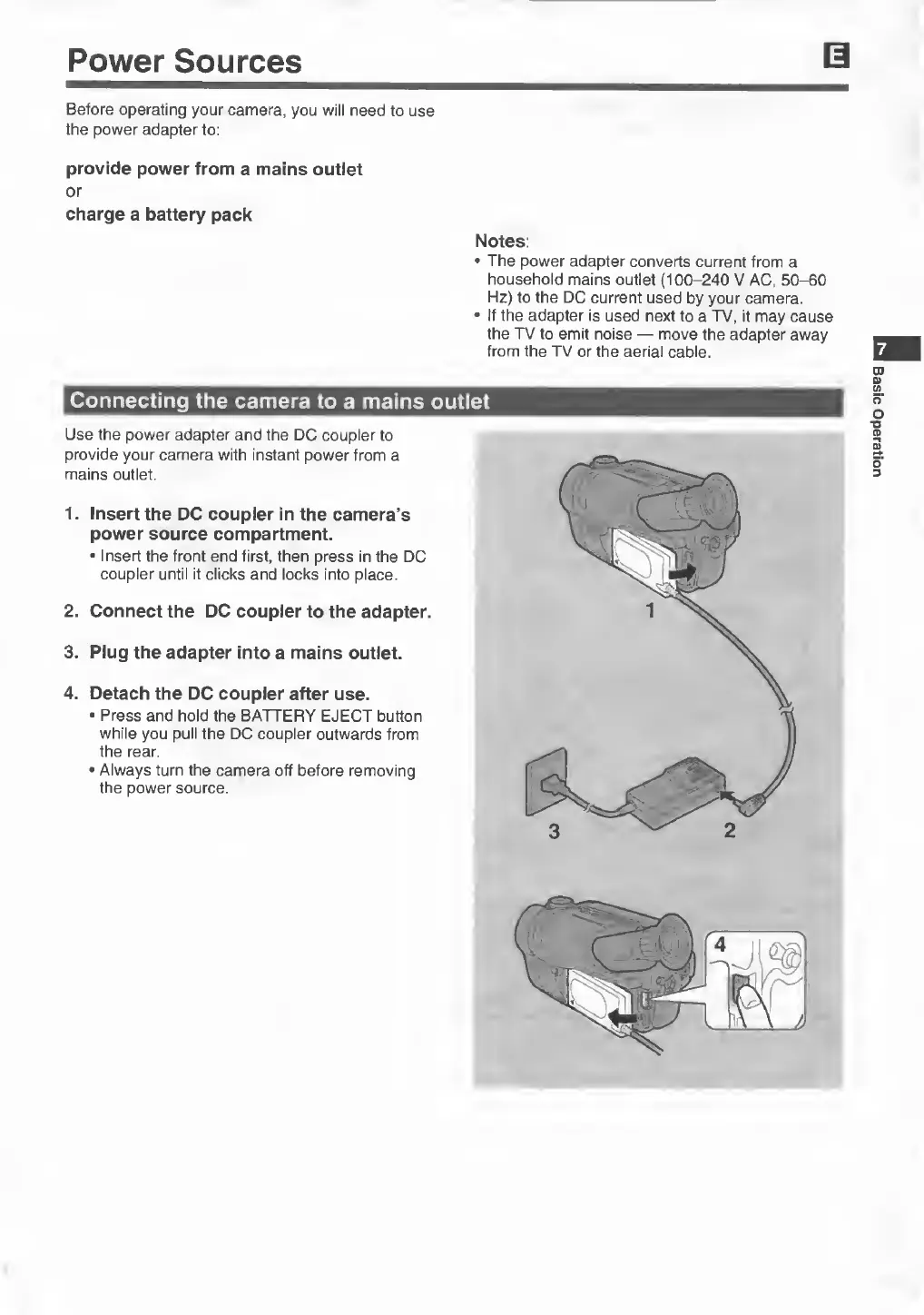
Use
the
power
adapter
and
the
DC
coupler
to
provide
your
camera
with
instant
power
from
a
mains
outlet.
1.
Insert
the
DC
coupler
in
the
camera’s
power
source
compartment.
Insert
the
front
end
first,
then
press
in
the
DC
coupler
until
it
clicks
and
locks
into
place.
2.
Connect
the
DC
coupler
to
the
adapter.
3.
Plug
the
adapter
into
a
mains
outlet.
4.
Detach
the
DC
coupler
after
use.
Press
and
hold
the
BATTERY
EJECT
button
while
you
pull
the
DC
coupler
outwards
from
the
rear.
Always
turn
the
camera
off
before
removing
the
power
source.
Basic
Operation

Related product manuals