EasyManua.ls Logo

Canon UC800 - Preview and Start Editing Functions

Canon UC800
56 pages
Print Icon
To Next Page IconTo Next Page
To Previous Page IconTo Previous Page
Loading...
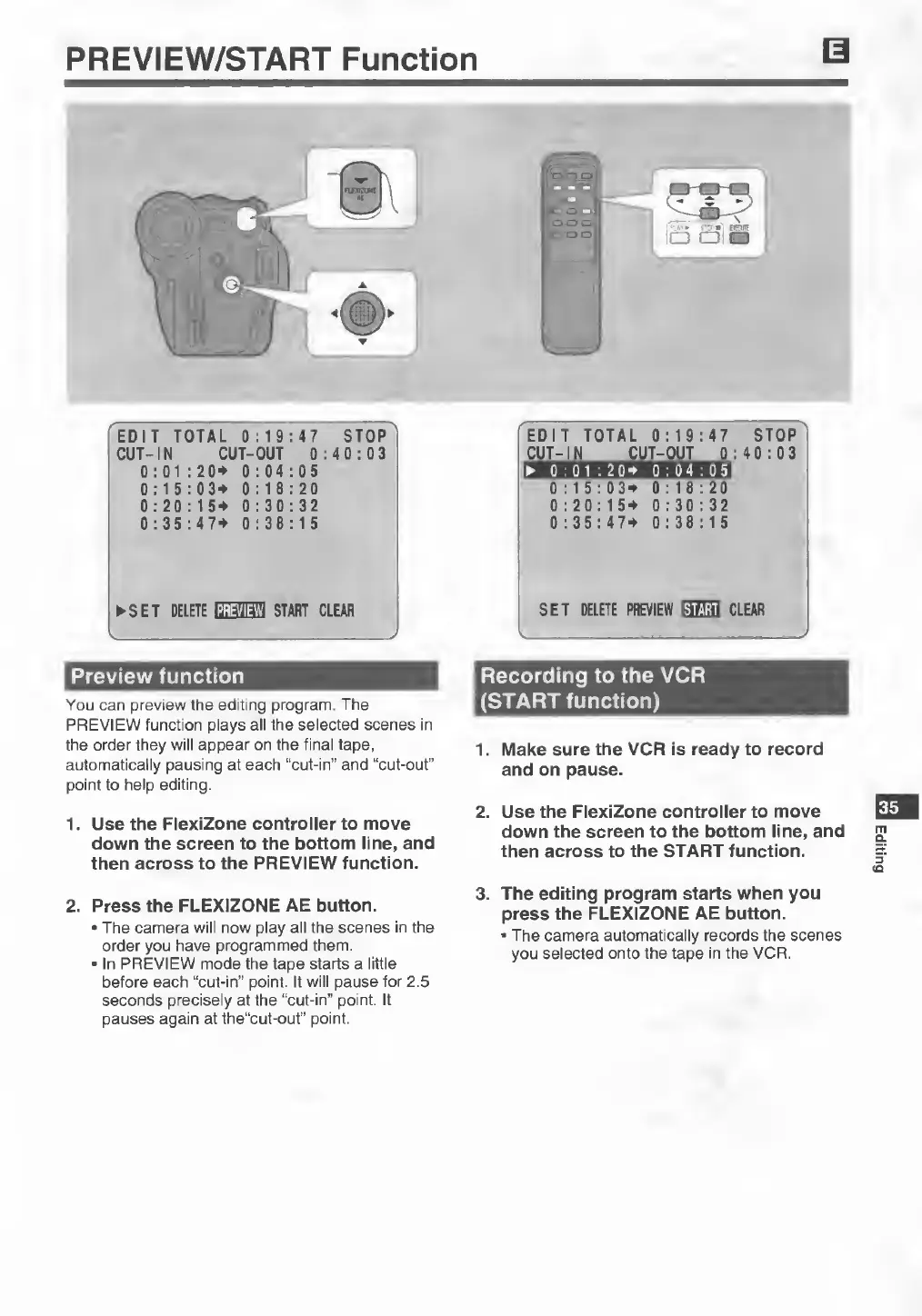
PREVIEW/START
Function
EDIT
TOTAL
0:19:47
STOP
CUT-IN
CUT-OUT
0:40:03
0:01:20+
0:04:05
0:15:03+
0:18:20
0:20:15+
0:30:32
0:35:47+
0:38:15
►
SET
DELETE
START
CLEAR
Preview
function
You
can
preview
the
editing
program.
The
PREVIEW
function
plays
all
the
selected
scenes
in
the
order
they
will
appear
on
the
final
tape,
automatically
pausing
at
each
“cut-in”
and
“cut-out”
point
to
help
editing.
1.
U
se
the
FlexiZone
controller
to
move
down
the
screen
to
the
bottom
line,
and
then
across
to
the
PREVIEW
function.
Recording
to
the
VCR
(START
function)
1.
Make
sure
the
VCR
is
ready
to
record
and
on
pause.
2.
Use
the
FlexiZone
controller
to
move
down
the
screen
to
the
bottom
line,
and
then
across
to
the
START
function.
35
2.
Press
the
FLEXIZONE
AE
button.
•
The
camera
will
now
play
all
the
scenes
in
the
order
you
have
programmed
them.
■
In
PREVIEW
mode
the
tape
starts
a
little
before
each
“cut-in”
point.
It
will
pause
for
2.5
seconds
precisely
at
the
“cut-in”
point.
It
pauses
again
at
the“cut-out”
point.
3.
T
he
editing
program
starts
when
you
press
the
FLEXIZONE
AE
button.
•
The
camera
automatically
records
the
scenes
you
selected
onto
the
tape
in
the
VCR.
Editing