103
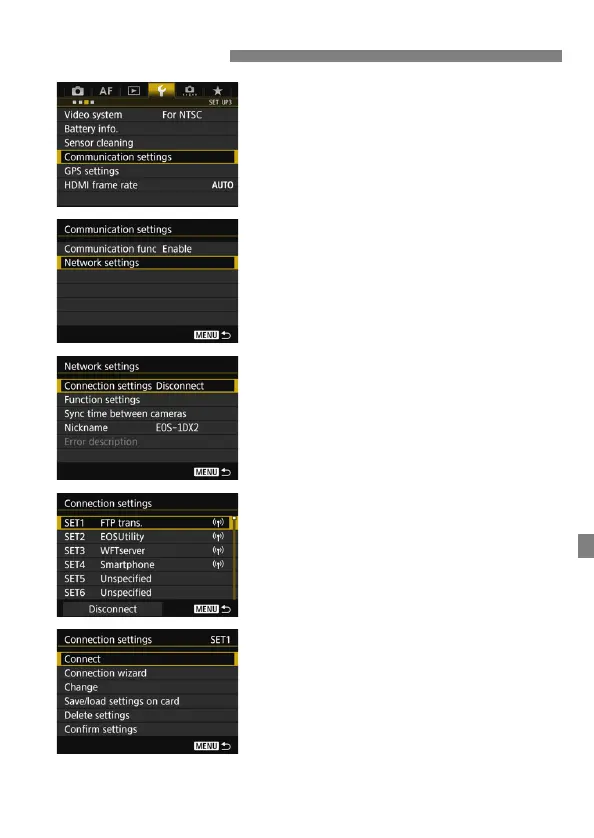
1
Select [Communication settings].
Under the [53] tab, select
[Communication settings], then
press <0>.
2
Select [Network settings].
Set [Communication func] to
[Enable], then select [Network
settings].
3
Select [Connection settings].
4
Select [SET*].
From the saved settings, select the
setting to connect to.
5
Select [Connect].
The connection is re-established.
If settings have been changed on the
target device, configure the settings
again to connect to the camera.
Reconnecting



 To Next Page