62
In the web browser, display WFT Server, a screen for transmitter
operations. Connect the camera to a computer, smartphone, etc. via
LAN in advance.
To access the camera from a web browser, the camera’s IP address
displayed in step 6 must be entered in the address field of the web
browser.
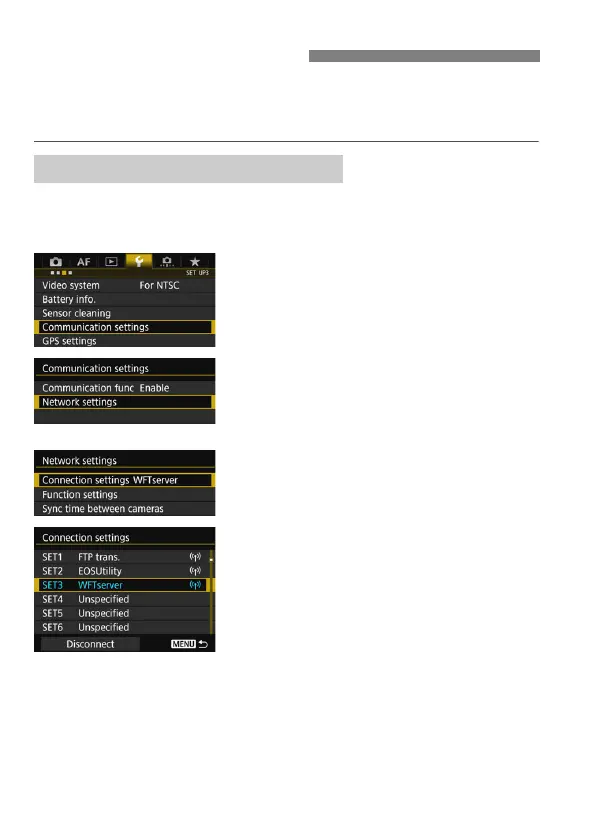
1
Select [Communication settings].
Under the [53] tab, select
[Communication settings], then
press <0>.
2
Select [Network settings].
Set [Communication func] to
[Enable], then select [Network
settings].
3
Select [Connection settings].
4
Select [SET* WFTserver].
Displaying WFT Server
Checking the Camera’s IP Address



 To Next Page