98
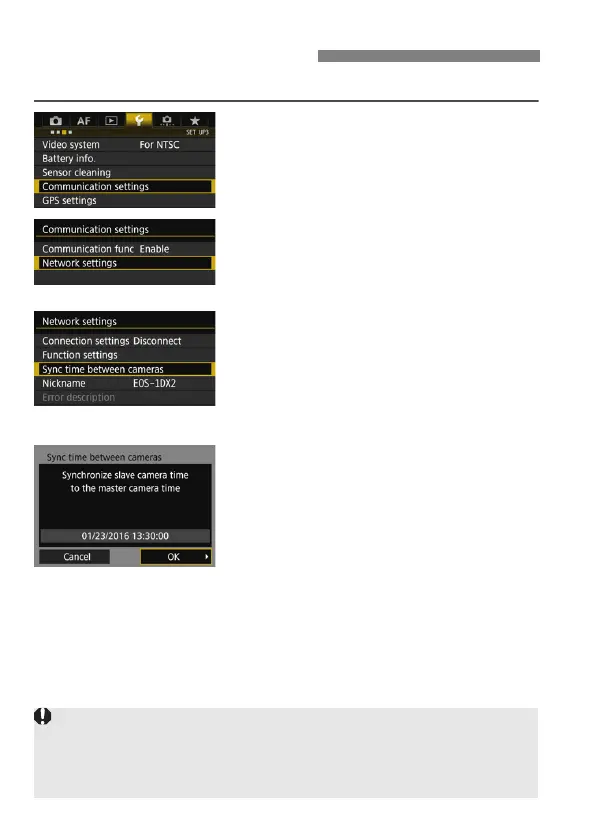
Steps 1 to 5 are the same on the master and slave cameras.
1
Select [Communication settings].
Under the [53] tab, select
[Communication settings], then
press <0>.
2
Select [Network settings].
Set [Communication func] to
[Enable], then select [Network
settings].
3
Select [Sync time between
cameras].
If connected to another device, [Set
[Connection settings] to
[Disconnect]] will appear. Select
[OK] to terminate the connection.
4
Select [OK].
Synchronizing the Time
Synchronize the camera time between the same camera
models.
If the camera models of the master camera and slave cameras are different,
synchronizing the time with slave cameras is not possible.



 To Next Page