43
An image can be automatically transferred to the FTP server
immediately after shooting. You can also continue still photo shooting
even while images are being transferred.
Before shooting, be sure to insert a card into the camera. If you
shoot without recording images, they cannot be transferred.
Note that automatic transfer of movies during shooting is not
supported. Transfer the movie after shooting, as described on pages
48-52.
1
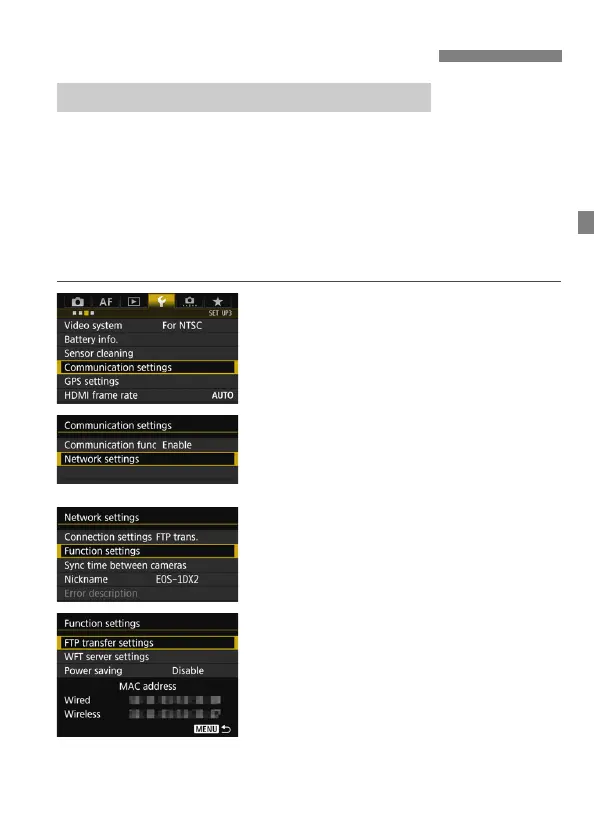
Select [Communication settings].
Under the [53] tab, select
[Communication settings], then
press <0>.
2
Select [Network settings].
Set [Communication func] to
[Enable], then select [Network
settings].
3
Select [Function settings].
4
Select [FTP transfer settings].
Transferring Images Individually
Automatic Image Transfer After Each Shot



 To Next Page