144
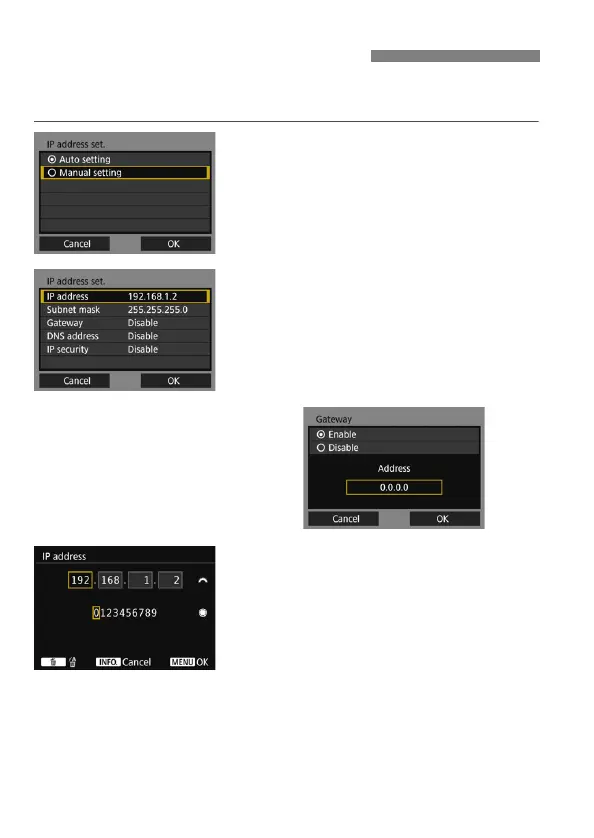
Set the IP address settings manually. The items displayed will differ
depending on the communication method.
1
Select [Manual setting].
Select [OK] and press <0> to go to
the next screen.
2
Select the item to be set.
Select an item and press <0>. The
number entry screen will appear.
To use a gateway, DNS address, or
IPsec, select [Enable], select
[Address], then press <0>.
3
Enter the desired values.
Turn the <6> dial to move the input
position in the upper area and turn
the <5> dial to select the number.
Press <0> to enter the selected
number.
To set the entered values and return
to the screen for step 2, press the
<M> button.
Setting IP Address Manually



 To Next Page