72
Although detailed function settings are not available on the basic
capture screen, it is convenient for shooting remotely using a
smartphone or other small-screen devices due to the compact design of
the operation screen.
1
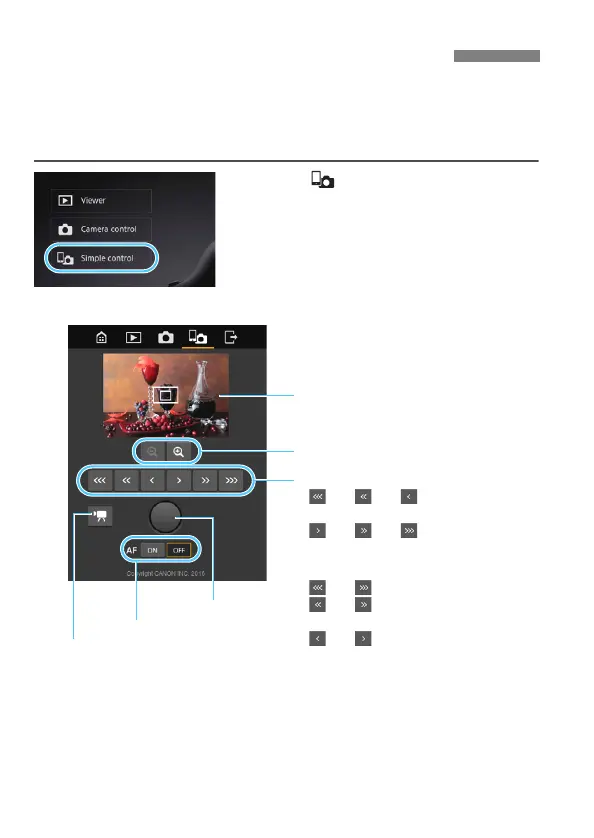
Press [ Simple control].
The basic capture screen and Live
View image are displayed.
Shooting Remotely [Simple control]
Live View image screen
Manual focus button
<> <> <>:Focuses more
closely
<> <> <>:Focuses
farther away
Levels of focus adjustment
< > < >: Largest increment
< > < >: Intermediate
increment
< > < >: Smallest increment
Shutter button
Magnify/reduce button
Still photo/movie shooting
switching button
AF button



 To Next Page