80
You can specify images viewable from a smartphone by operating the
camera. Images can be specified during connection setup or after
the connection is terminated.
1
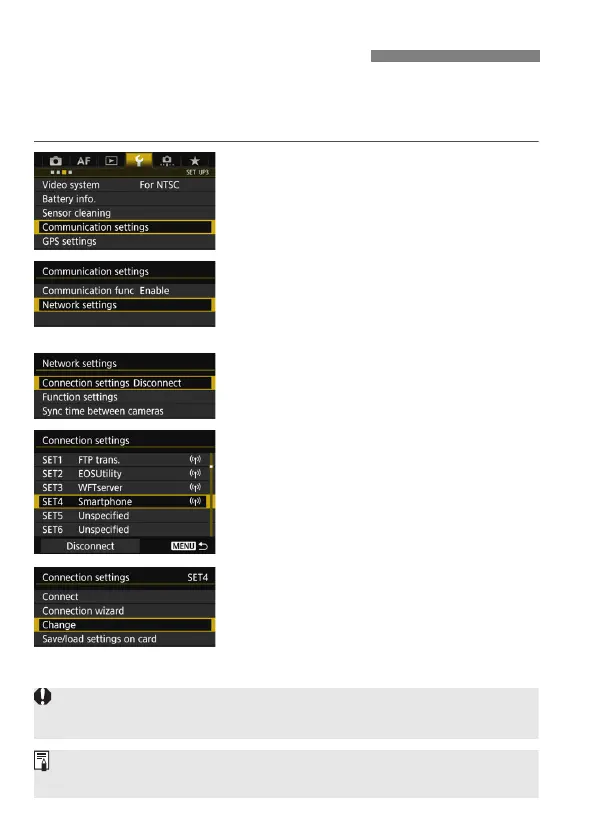
Select [Communication settings].
Under the [53] tab, select
[Communication settings], then
press <0>.
2
Select [Network settings].
Set [Communication func] to
[Enable], then select [Network
settings].
3
Select [Connection settings].
4
Select [SET* Smartphone].
5
Select [Change].
Specifying Viewable Images
If [Viewable imgs] is set to any setting other than [All images], remote
shooting is not possible.
When reconnecting to a smartphone, check the viewable images setting
before establishing a connection.



 To Next Page